
Smart Lock Types Deadbolt Vs Lever Vs Retrofit Explained
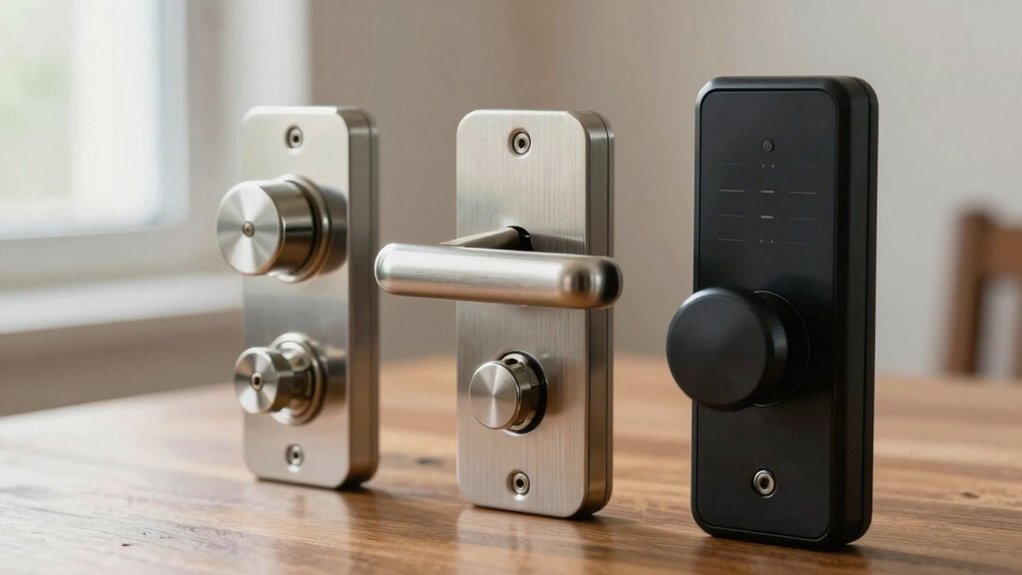
You should pick a smart lock by matching security, door prep, and access needs.
Retrofit units clamp over your existing deadbolt for quick, renter-friendly installs; however, they can be bulky and depend on your lock’s size.
Full deadbolt replacements give firmer operation, better durability, and integrated features at higher cost and require standard prep.
Lever-style locks improve accessibility; however, they usually aren’t as secure for exterior use.
Continue for detailed comparisons, install tips, and power/security trade-offs.
Smart Lock Types Deadbolt Vs Lever Vs Retrofit Explained: You should pick a smart lock by matching security, door prep, and access needs. Retrofit units clamp over your existing deadbolt for quick, renter-friendly installs; however, they can be bulky and depend on your lock’s size. Full deadbolt replacements give firmer operation, better durability, and integrated features at higher cost and require standard prep.
Quick Overview
- Full deadbolt smart locks replace both sides and the bolt, offering stronger exterior security and integrated features at a higher cost.
- Retrofit smart locks attach to your existing deadbolt for fast, renter-friendly installation while preserving original keys and hardware.
- Lever-style smart locks provide easier grip and accessibility; however, they typically use weaker latches, making them better for interior doors.
- Choose connectivity (Bluetooth, Wi‑Fi, Z‑Wave, Thread/Matter) based on remote access needs, hub availability, and range requirements.
- Prioritize battery life, 9V jumpstart options, BHMA rating, and audit logging for reliable security and maintenance.
Which Smart Lock Should You Choose?
Which smart lock should you choose depends on where you need the lock and how much security and compatibility matter to you. You’ll typically want a deadbolt-style smart lock for main entry doors because deadbolts resist forced entry better than levers or knobs.
If you value ecosystem compatibility and long-term security, pick a standalone smart deadbolt replacement; it pairs with most smart hubs and keeps design aesthetics neat since you can mix finishes and passage sets. For renter-friendly situations or when you must preserve existing hardware, consider retrofit deadbolt options; they’re cheaper and easier to install but can be bulkier and sometimes lack integrated keypads or biometrics.
Use discussion ideas around location (main vs interior doors), required features (keypad, biometrics, hub support), and installation constraints to decide. Be risk-aware: prioritize deadbolt strength for exterior access. Only accept retrofit trade-offs when preserving hardware or minimizing upfront cost is essential.
Retrofit Smart Locks: How They Work and When to Pick Them
Wondering whether a retrofit smart lock will fit your situation? You get a unit that clamps over your existing deadbolt, so installation is quick, renter-friendly, and avoids door prep. Retrofit models (August, Kwikset Kevo Convert) let you keep original hardware while adding remote control, temporary codes, and keypad access without replacing inner or outer pieces. Compatibility depends on your deadbolt’s size and style, so measure before buying.
Expect Bluetooth direct access or Wi-Fi through a hub. Integrations exist, but they may offer limited functionality versus full replacements. Retrofits tend to be bulkier and usually lack built-in biometrics or dedicated keypads. Battery life matches other smart locks; many include jumpstart or 9V methods for power failures.
Weigh convenience and lower upfront cost against reduced feature scope. Don’t treat retrofit choice as an unrelated topic to security. For practical decisions, compare features, installation ease, and budget comparisons before committing.
Full Deadbolt Replacements: Benefits and Trade-Offs
If a retrofit feels like a stopgap, low cost and renter-friendly, you may prefer replacing the whole deadbolt for a cleaner look and stronger hardware. A full deadbolt replacement swaps interior and exterior hardware and the bolt itself, giving you a slimmer profile and newer components. You’ll notice firmer operation, better durability, and access to integrated features like alarms or remote control on select models. Expect higher upfront cost; typically $100–$400 for electronic units. A DIY install usually takes about 30 minutes.
Weigh trade-offs: full deadbolt units deliver true deadbolt security, reducing vulnerability to prying compared with deadlatch or lever setups unless those have a solid deadbolt backing. Check compatibility with standard door preps, consider replacing the strike plate, and verify door alignment carefully. Misalignment causes mislocking or rubbing. If you want long-term reliability and modern features and you’re willing to pay more and do a simple install, a full deadbolt is a sensible upgrade.
Lever-Style Smart Locks: Best Uses and Limitations
Looking for a smart lock that’s easier to grip and looks more like traditional home hardware? You’ll find lever-style smart locks favor lever aesthetics and accessibility. You get simpler operation for kids, elderly, or busy hands. Many models offer Bluetooth, Wi‑Fi, or Z‑Wave control. But watch latch strength: some smart levers operate a latch rather than a full deadbolt, so they’re weaker for primary exterior security.
| Best Uses | Limitations | Notes |
|---|---|---|
| Interior doors | Lower latch strength vs deadbolt | Good for bedrooms, offices |
| Retrofits seeking lever aesthetics | Requires compatible prep/adapters | May need passage sets |
| Accessibility-focused entries | Bulkier, alignment issues | Check trim clearance |
You should treat lever smart locks as convenience-first solutions. Use them where ease of use matters and risk is lower. For main exterior doors, pair with or prefer a true deadbolt to maintain security.
Installation, Renters, and DIY vs. Pro Considerations
Lever-style locks are great for accessibility, but when it comes to installing smart hardware, you’ll want to think about time, door prep, and whether you’re allowed to modify the door. You’ll face installation challenges: deadbolt swaps usually take 30–60 minutes DIY. Lever/handle installs need finer alignment; sometimes they require more time.
Consider renter considerations: retrofit deadbolts preserve existing hardware and are generally the renter-friendly choice. Full replacements change inner/outer pieces and may violate lease terms.
- Assess compatibility: check door thickness, backset, and whether your existing cylinder or knob is standard before buying.
- Estimate time: plan 30–60 minutes for deadbolt retrofits. Allow extra for lever alignment or nonstandard doors.
- DIY vs pro: follow step-by-step guides for typical installs. Hire a pro for Euro cylinders, complex lever setups, or poor door prep.
- Risk mitigation: document pre-install condition, get landlord approval, and keep original parts to restore the door if needed.
How Smart Locks Connect: Bluetooth, Wi‑Fi, Z‑Wave, Thread, UWB
How do smart locks actually talk to your phone and smart home? You’ll see five main options: Bluetooth, Wi‑Fi, Z‑Wave/ZigBee, Thread, and UWB. Bluetooth pairs directly with your nearby phone (typically up to ~300 feet) so you can unlock locally without a hub. This is handy; however, remember Bluetooth range and interference limits.
Wi‑Fi locks give true remote access over the internet. Some models still need a companion bridge for reliable cloud features. Z‑Wave and ZigBee use compatible hubs and mesh networking to extend range and redundancy; however, device switching can be slower.
Thread is a low‑power, IP‑based, Matter‑compatible protocol that supports hubless networks and tighter interoperability. UWB provides precise proximity sensing and fast, secure presence detection for smarter, context-aware unlocking.
Across all types, weigh convenience against privacy concerns and threat models: remote exposure, hub compromise, and radio-based attacks. Choose protocols that match your desired control, backup options, and security posture.
Unlock Options Compared: Keys, Codes, Biometrics, and Home Keys
After you pick a communication method, you’ll want to decide how people actually get through the door. You’ll weigh convenience against control and failure modes: physical keys, keyless codes, biometric keys, or proximity-based home keys each have trade-offs. Consider how many users there are, whether access is temporary, and what backup you need.
- Keys: Most smart locks still include a physical emergency key. Keys are simple and reliable in power or network failures. They are good for long-term owners, but managing duplicates raises loss risk.
- Codes: Keypad locks support multiple user codes, time-restricted windows, and temporary codes for guests. Audit logs help track use, but shoulder-surfing and code reuse are risks.
- Biometrics: Fingerprint sensors store dozens of prints for fast entry. They reduce shared-code issues, but they can fail with wet or injured fingers and require secure storage.
- Home keys: Bluetooth/NFC via a paired phone or digital wallet is seamless. However, it relies on device security and proximity accuracy. Combine methods for safety.
Smart Lock Battery Life and Emergency Jumpstart Tips
Ever wonder how long a smart lock will keep working before it leaves you standing at the door? Typical AA/AAA-powered locks run for several months. However, heavy features, such as frequent keypad use, Bluetooth/Wi-Fi connections, and motorized bolts, increase battery drain. Cold temperatures also shorten life; therefore, expect reduced runtimes in winter.
Pick locks with clear low-battery alerts in the app and audible warnings so you can swap cells before they die. Most models include a 9V jumpstart terminal to regain short-term power and enter your keypad code. Treat this as an emergency measure; it is not a replacement for fresh batteries. When you use the jumpstart, replace batteries promptly to avoid repeat incidents.
Practical jumpstart tips: carry a 9V battery or keep one by the door, follow the manufacturer’s contact points exactly, and confirm code/lock behavior after powering up. Regularly inspect battery contacts and schedule replacements based on your usage pattern to minimize the risk of lockouts.
Security, Durability, and Access Control (BHMA, Alarms, Guest Codes)
Battery management ties directly into a lock’s overall security and durability, because a powerless device can’t enforce access rules or sound alarms. You should choose BHMA-rated hardware (A/B/C grading); many Schlage models are AAA-rated for sustained strength and finish, which reduces wear and attackability. Prefer deadbolt-style smart locks over spring-loaded latches when tamper resistance matters. Verify alarm features and remote notifications so you’ll get disturbance alerts and can respond fast.
- Choose locks meeting security standards (BHMA) and rated for durability to lower physical risk.
- Confirm integrated alarm features (tamper, forced-entry) and mobile push alerts for timely incident response.
- Use keyless codes with time-window constraints and app tracking to provision guests and revoke access remotely.
- Favor deadbolts for maximum shear resistance; reserve smart latches where convenience outweighs higher pry risk.
Audit logs, enforce code rotation, and test alarms periodically so your access control stays reliable and auditable.
Frequently Asked Questions
Can Smart Locks Be Integrated With Garage Door Openers?
Yes, you can integrate smart locks with garage door openers. For practical Smart lock integration, pick systems or hubs supporting Garage door compatibility (Z-Wave, HomeKit, Wi‑Fi bridges).
You’ll want secure pairing, two-factor access, and firmware updates to mitigate hacking risks. Test automations (auto-lock, geofencing) and set fail-safes so a garage sensor or manual override prevents accidental lockouts or unauthorized entry.
Keep logs and restrict guest permissions.
Do Smart Locks Support Multi-Factor Authentication?
Yes, many smart locks support multi-factor authentication. You’ll typically pair a password or PIN with a biometric (fingerprint) or a time-limited code from an app.
Check privacy policies to understand how biometric and login data are stored and shared. Also, review access logs to monitor attempts and detect anomalies.
Enable strong account recovery, firmware updates, and, if possible, hardware tokens to reduce risk and harden overall access control.
How Do Smart Locks Handle Power Outages at the Home Level?
You’ll keep access during outages by relying on power resilience features: battery backups, low-battery alerts, and external 9V or USB ports for emergency power. Some locks use mechanical keys or reserve capacitors to finish a cycle.
Your system should log outages and write access logging to local memory or cloud once reconnected. This way, you can audit entries and power events. Test batteries regularly and note failure points to reduce risk.
Are There Smart Lock Options for Sliding Glass Doors?
Yes, you can secure sliding glass doors. You’ll find retrofit sliding glass smart locks and track-mounted options that bolt or clamp to the door frame. Additionally, there are sensors and motorized multipoint locks.
Choose models that record access logs, offer battery backup, and resist forced entry. You should confirm fit, track compatibility, and weather sealing. Prefer tamper alerts and high-quality sensors to reduce risk and maintain reliable, auditable access control.
What Privacy Policies Do Manufacturers Have for Access Logs?
Manufacturers typically describe privacy logs and data retention in their policies. You’ll see who can access logs, how long entries are kept, and whether data’s encrypted or shared. You should expect retention windows from days to years. There are options to auto-delete and controls for export or anonymization.
Check for third-party sharing, law-enforcement requests, and breach notification practices. If limits or encryption aren’t clear, treat the risk as higher and ask for specifics.
Conclusion
Choosing the right smart lock comes down to your door, budget, and risk tolerance. If you rent or want an easy install, pick a reliable retrofit model. If you need higher physical security and full integration, opt for a deadbolt replacement. Use lever locks only where code or accessibility needs outweigh tamper risks.
Prefer wired or hub-connected options for remote control. Keep firmware updated, and maintain batteries. Plan an emergency jumpstart to avoid getting locked out.
Related reading: Smart Lock Compatibility With Door Thickness and Backset — a closer look at this topic.
