Choosing Nvr Channel Count for Number of Cameras
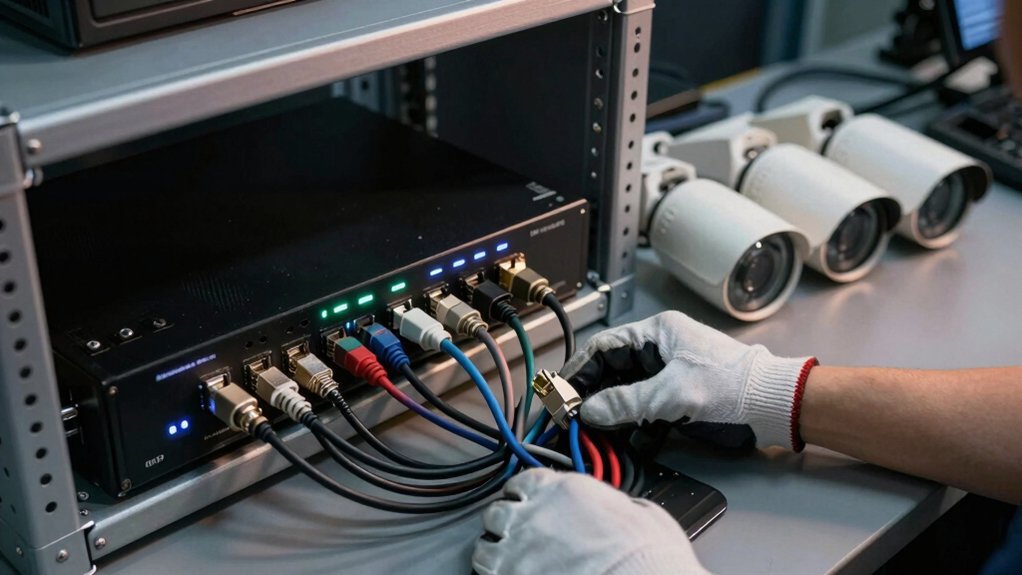
You should size your NVR by counting current cameras, adding 20–50% headroom, and choosing the smallest standard channel model (4, 8, 16, 32, 64+) that covers simultaneous streams plus extra streams for remote view and analytics.
Remember, channels are concurrent streams, not PoE ports; PoE switches add ports but not licenses. Also, factor per-camera bitrate (resolution/FPS/codec), storage throughput, and NVR CPU/storage limits.
Continue for step‑by‑step bandwidth, storage, and licensing checks.
Choosing Nvr Channel Count for Number of Cameras: You should size your NVR by counting current cameras, adding 20–50% headroom , and choosing the smallest standard channel model (4, 8, 16, 32, 64+) that covers simultaneous streams plus extra streams for remote view and analytics. Remember, channels are concurrent streams, not PoE ports; PoE switches add ports but not licenses.
Quick Answer: How to Choose an NVR Channel Count
How many cameras should your NVR support? You should size the NVR by counting current cameras, then add 20–30% headroom to avoid replacing hardware as you expand. Choose the smallest standard channel model (4, 8, 16, 32) that accommodates that increased total; enterprise needs start at 64+.
Remember, channel count equals simultaneous streams supported, so match channels to cameras directly. If you exceed built-in channels, you can add cameras through a PoE switch or move to a higher-channel NVR, subject to licensing constraints.
Don’t treat channel count in isolation: verify bandwidth, encoding (resolution/FPS/codec), and storage throughput all support the chosen channels to prevent frame drops or playback issues. Avoid mixing random topics or unrelated ideas when planning capacity; make explicit calculations for expected bitrate per camera and aggregate storage needs.
That disciplined approach yields a reliable, scalable NVR deployment without surprises.
What an NVR Channel Really Means (Channels vs PoE Ports)
Why does an NVR channel matter to your design? An NVR channel is a logical camera input: an 8-channel NVR can record up to eight cameras, assuming you have the corresponding channel licensing.
Don’t conflate PoE ports with channels; built-in PoE only supplies power and network connectivity. It doesn’t increase the NVR’s licensed channel count. You can connect additional cameras via an external PoE switch, but those cameras won’t become extra NVR channels unless the system supports license expansion.
If you exceed the NVR’s native channel limit, you’ll need a higher-channel NVR or to purchase additional licensed channels where available. Also account for PoE limits: switches and NVR PoE ports have wattage and port-count constraints that affect how many cameras you can power simultaneously.
Plan for growth by choosing an NVR channel count at least 50% above current camera needs. Then verify channel licensing, PoE limits, and storage/bandwidth implications before finalizing the design.
Calculate Required Throughput: Resolution, FPS, and Codec
Once you’ve chosen an NVR with the right channel count and verified PoE limits, calculate the total throughput those cameras will generate so you can size the NVR’s bandwidth budget and storage correctly. For each camera, multiply expected average bit-rate (based on resolution and FPS) by the number of cameras to get aggregate inbound Mbps.
Remember, 4K at 30fps yields substantially higher per-camera bit-rates than 1080p at 15fps. Factor codec efficiency: H.265/H.265+ typically reduces bit-rate ~50–70% versus H.264; this directly lowers required throughput.
Include additional streams (multi-streams for remote view, AI analytics feeds) since they increase concurrent bandwidth beyond the base stream. Treat any “irrelevant topic” or “unrelated factor” claims skeptically: only measurable codec, resolution, FPS, and extra streams affect throughput.
Verify the NVR’s advertised bandwidth exceeds your worst-case concurrent stream total; if not, you’ll risk frame drops or failed recordings.
Calculate Storage Needs: Retention, Drives, RAID, and Write Speed
Although storage planning often feels straightforward, you need to size retention and drives based on per-camera daily and monthly rates, codec and recording mode, and RAID overhead to ensure reliable capacity and write performance. Use the provided per-camera estimates: 30fps 1080p consumes approximately 7–15 GB/day (210–450 GB/month); 4K uses approximately 25–60 GB/day (750–1800 GB/month).
Apply expected motion recording reduction (40–60%) and codec savings (H.265/H.265+ ≈50–70% vs H.264) to derive realistic totals. Calculate raw array size by summing monthly camera needs. Then add RAID overhead and spare capacity for expansion.
Choose drives rated for continuous write workloads and confirm NVR sustained write throughput meets peak simultaneous streams. RAID rebuild time and write penalty matter for reliability. Exclude irrelevant considerations like aesthetic drive placement or unrelated channel licensing costs when sizing physical storage.
Channel licensing affects channel count decisions but not raw drive math.
NVR Channel Limits: Licensing, Bandwidth, CPU, and Storage
How many cameras your NVR can actually support depends on more than the model’s channel label: licensing, aggregate network throughput, CPU/decode capacity, and storage write performance all set practical limits.
You should treat the channel count as a theoretical maximum. Licenses or optional upgrades often gate the actual number of active streams; thus, connecting extra cameras via switches doesn’t bypass license enforcement.
Aggregate throughput matters: sum per-camera bit-rates (resolution, FPS, codec) and verify the NVR’s sustained network and internal bus capacity to prevent dropped frames. CPU and GPU decode limits determine how many high-resolution streams you can display, transcode, or run analytics on simultaneously.
Storage write speed and retained capacity set another ceiling. Higher aggregate bit-rate requires greater sustained writes and larger RAID arrays to meet retention targets.
Ignore vendor marketing buzzwords and unrelated topic claims. Validate specs with realistic stream profiles and license terms before finalizing channel counts.
How to Scale NVR Channels: PoE Switches, Extra NVRs, VMS, and Licenses
Need more channels? You can’t cheat licensing by plugging cameras into built-in PoE or external PoE switches. Switches only provide power and network connectivity; the NVR records up to its licensed channel count. If you exceed that license, extra cameras will be reachable on the LAN but won’t register as additional NVR channels.
Use external PoE switches to place cameras where you need them, but stay within licensed channel totals. Add a second NVR and bridge management to distribute recording load and preserve per-NVR licensing.
Deploy a VMS to aggregate multiple NVRs and ONVIF cameras under one management plane. Purchase license expansions or upgrade to a higher-channel NVR to legally unlock more recordings. Plan for future growth by selecting devices with scalable licensing, avoiding replacements later.
Don’t treat licensing as an irrelevant topic or an unrelated scope to network design; it’s integral to channel capacity planning and cost forecasting.
Channel-Count Recommendations by Use Case (Home to Enterprise)
Which channel count fits your site and growth plans? For homes, choose 4-channel NVRs for minimal camera sets. Small offices typically use 8-channel units. Do not treat licensing limits as an irrelevant topic; an 8-channel NVR won’t register a ninth camera, so you’ll need an external PoE switch with a separate recorder or step up to a higher-channel NVR.
For mid-sized sites, 16-channel units are standard. For campuses or enterprises, plan on 32, 64, or larger systems.
Apply 20–30% headroom to your camera count to avoid premature replacement. Align channel choice with expected bandwidth, storage throughput, and retention targets to prevent dropped frames or missed recordings. Avoid mixing this guidance with unrelated concept discussions like analytics or security feature checklists; those belong in the next section.
Choose the smallest NVR that meets current needs plus headroom while ensuring network and storage architectures scale to the selected channel count.
Quick Buying Checklist: Compatibility, Analytics, Security, and Growth
Wondering what to check before you buy? Start with channel count vs real-world capacity: An NVR’s nominal channels (8, 16, etc.) tell you maximum camera slots, but codec (H.265), resolution (4K), and storage throughput limit usable cameras. Verify ONVIF support and camera-to-NVR feature parity so analytics and remote access work as expected.
- Confirm channels and add 20–50% headroom for growth and future-proofing.
- Check PoE switch expansion or licensed-channel limits before relying on extra ports.
- Calculate bandwidth and storage throughput per camera at chosen resolution and codec.
Validate analytics compatibility (motion, VCA) between cameras and NVR; test feature parity. Assess security risks and compliance concerns: firmware updates, encrypted streams, user roles, and audit logging.
Use these technical checks to avoid surprises: mismatched features, licensing traps, or bottlenecks that reduce usable channel count and compromise security or regulatory compliance.
Frequently Asked Questions
Can I Mix Different Camera Codecs and Expect Full Channel Performance?
Yes, you can mix different camera codecs, but you won’t always get full channel performance. You’ll need two word discussion ideas like bandwidth allocation and codec negotiation to plan capacity.
Modern NVRs handle channel mixing dynamically; however, codec complexity, resolution, and bitrate determine throughput. You should test worst-case streams, enable hardware decoding when available, and budget headroom to avoid dropped frames or reduced frame rates during peak simultaneous recording.
How Do Mobile App Connections Affect NVR Channel Load?
Mobile app connections add overhead by opening extra virtual cameras or RTSP streams. Therefore, you’ll see increased channel load proportional to live view and playback sessions. You should account for concurrent mobile app connections when sizing NVR capacity.
Limit stream profiles or use substreams for mobile, and throttle or authenticate sessions to prevent overload. Monitor real-time channel load metrics and enforce session limits to preserve performance and recording integrity.
What Backup Power (UPS) Sizing Do Multi-Channel NVRS Need?
You size backup power by totaling NVR and camera draw. Then, add 20–30% margin for UPS sizing. Calculate each device’s wattage (use VA to W conversion with power factor ~0.8). Multiply by runtime hours, and select a UPS with sufficient VA/W and battery capacity.
Account for PoE injector or switch load, startup surges, and desired runtime. Pick scalable UPSs so you can expand capacity without replacing the unit.
Are Virtual Cameras (Rtsp Streams) Counted as Channels?
Yes, virtual cameras (RTSP streams) are usually counted as channels. You’ll need channel licensing for each active stream the NVR ingests; this applies regardless of whether it’s a physical camera or an RTSP source.
Check the NVR’s documentation: some makers treat transcoded or virtual inputs differently. However, most increment channel usage per incoming stream.
Plan licensing and resource allocation (CPU, bandwidth, storage) based on total concurrent streams.
How Do Environmental Sensors or Alarms Integrate With Channel Licensing?
Environmental sensors and alarms typically don’t consume video channel licensing. They integrate via separate I/O, event API, or alarm inputs and trigger recordings or notifications without occupying camera channels. You’ll map sensors to NVR rules; configure alarm inputs; or use ONVIF/event API so triggers create streams or bookmarks.
Check vendor licensing: some charge for advanced alarm modules or analytics. Design your system to keep sensor events distinct from channel licensing to avoid unexpected costs.
Conclusion
You’ve now got the facts to pick an NVR channel count that fits your system. Match channels to cameras (don’t confuse channels with PoE ports), calculate throughput from resolution/FPS/codec, and size storage for retention, RAID, and sustained write speed.
Account for CPU, licensing, and bandwidth limits. Scale with PoE switches, additional NVRs or VMS and appropriate licenses. Prioritize compatibility, analytics needs, security, and room to grow.