Tuning Motion Detection Sensitivity on Security Cameras
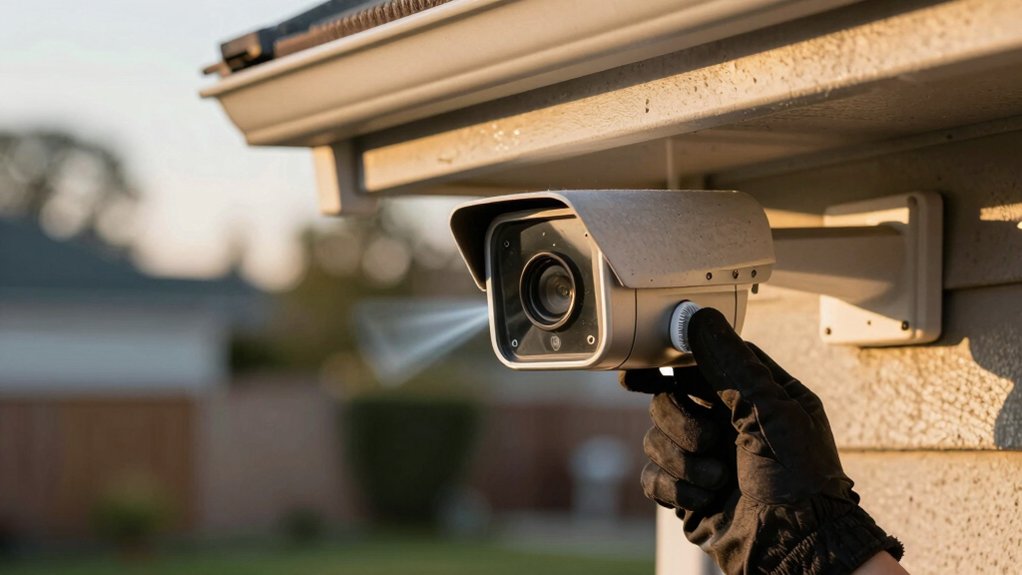
You should define active times and precise detection zones. Then scan the scene for lights, foliage, shadows and traffic that cause false triggers. Start with baseline sensitivity; raise thresholds in small steps. Enable anti-dither/debounce and log trigger counts.
Prefer Smart Motion Detection to discriminate people/vehicles and use IVS for spatial precision. Consider IR beams for unreliable scenes. Run time-windowed tests, capture sample clips, document settings and iterate. Continue for a step-by-step tuning process.
Tuning Motion Detection Sensitivity on Security Cameras: You should define active times and precise detection zones . Then scan the scene for lights, foliage, shadows and traffic that cause false triggers. Start with baseline sensitivity; raise thresholds in small steps. Enable anti-dither/debounce and log trigger counts. Prefer Smart Motion Detection to discriminate people/vehicles and use IVS for spatial precision.
Quick Overview
- Define when and where alerts are needed by setting active times and precise detection zones (IVS/tripwires).
- Use Smart Motion Detection first to discriminate people and vehicles. Then layer IVS rules for spatial precision.
- Start with baseline sensitivity, make small incremental adjustments, and document changes with trigger counts.
- Identify and exclude false-positive sources (lights, foliage, shadows, cyclic lighting) from detection zones.
- Enable anti-dither/debounce; run timed test windows, record sample clips, and iterate based on false-alarm rates.
Define When and Where You Need Motion Alerts
When do you actually need motion alerts, and where in the camera view should they matter? You’ll define active times first: restrict detection to business hours or peak periods so alerts only occur when you need them.
Then map precise zones in the scene. Draw tripwires or intrusion polygons using IVS rules to focus on entry paths and exclude irrelevant areas. Use iterative testing to set the minimal sensitivity that reliably detects people or vehicles while producing ignored triggers for leaves or distant motion.
Adjust threshold and anti-dither values to stabilize triggers and prevent unnecessary flicker or repeated alerts from the same event. Where possible, enable Smart Motion Detection to prioritize humans and vehicles and suppress non-target objects.
Log changes and evaluate false alarm rates over several days. Refine zones, sensitivity, and timing until alerts match operational needs with a low rate of ignored triggers and minimal unnecessary flicker.
Read the Scene: Spot Lights, Foliage, and Traffic That Cause False Alerts
How do you spot environmental features that will flood your motion logs with false positives? Start with a systematic visual survey: map spot lights, tree lines, roadways, and cluttered foregrounds. Note any spot lights that cycle, flicker, or create sharp contrast edges; these produce rapid luminance gradients the detector flags as motion. Identify foliage within the camera’s detection zone. Mark branches and shrubs that sway in typical wind speeds and produce repeated triggers.
Observe traffic patterns: slow-moving or stopped vehicles near the scene generate short, repeated events that accumulate into false alerts. Scan for dense shadow sources, such as foliage, clouds, or adjacent structures; these create frame-to-frame luminance shifts. Catalog trailing objects, such as bins or signs, that move intermittently.
Log each feature’s location, typical timing, and effect on scene lighting. Use this dossier to prioritize occlusion, repositioning, or masking measures. This way, you reduce false alerts without changing core sensitivity settings.
Tune Motion Detection Sensitivity, Thresholds, and Anti-Dither
You’ve mapped lights, foliage, and traffic. Now use that dossier to guide measured changes to detection settings. Start with a baseline sensitivity and perform sensitivity tuning in small increments. Document each change and corresponding trigger counts. Increase sensitivity only until you see meaningful detection of target motion; revert if leaf movement or lighting shifts create false alerts.
Adjust threshold values to require larger contiguous motion before triggering. Raise thresholds to reduce nuisance alerts; lower them only if genuine events are being missed. Enable anti dither and set its debounce interval to suppress rapid on/off triggers from minor fluctuations. Verify stability by observing consecutive frames in the motion log.
Limit active detection windows to business hours or critical periods to cut background noise. Iterate using the camera’s motion history: compare logs after each change and quantify false positives versus missed events. Converge on settings that balance reliability and responsiveness for your scene.
When to Use IVS Rules vs. Smart Motion Detection (SMD)
Wondering whether to rely on IVS rules or SMD for a given scene? You should choose based on scene complexity and target discrimination. IVS vs SMD is not an either/or decision: IVS rules replace or complement motion detection by enforcing physics-based criteria: zones, tripwires, intrusion areas that only trigger when an object crosses a defined boundary.
Use IVS where frequent small motions (branches, rain, passing pets) generate nuisance triggers in high-traffic or complex scenes. Tripwires gate events to meaningful crossings and reduce false alerts from trivial motion. SMD uses AI to classify targets as people or vehicles and is effective when you need automatic discrimination between relevant and irrelevant motion.
In mixed environments, deploy SMD first to cut general false alerts. Then layer IVS rules to enforce spatial precision and rule-based gating. Configure both conservatively, validate with test runs, and iterate thresholds and rule placement until alert volume and relevance meet operational requirements.
Try Infrared Beams as a Physical Trigger to Stop Digital Noise
Looking for a reliable way to cut through camera noise? Use infrared beams as a physical triggering mechanism to bypass digital motion limitations. You place beam emitters and receivers across a threshold: doorway, aisle, perimeter. Recording or alerts trigger only when the beam is interrupted. This separates intrusion detection from pixel-change algorithms; lighting shifts or moving foliage won’t generate false alerts.
Install with careful alignment and set sensitivity to detect human-sized crossings while ignoring small debris. Calibration is minimal: align, test crossings at typical speeds, and adjust receiver thresholds. Combine beams with camera detection for redundancy: the beam enforces a deterministic physical trigger, and the camera supplies visual verification and context. In high-noise environments, you’ll see a marked drop in nuisance recordings and alert storms.
Maintain periodic alignment checks and replace obscured optics. The system’s reliability depends on clear beam paths and correct sensitivity settings rather than complex software tuning.
Create a Test Plan: Logs, Sample Clips, and Active-Time Checks
When you build a test plan for motion sensitivity, define discrete time windows that reflect typical activity and lighting: for example, 8–9 AM, 1–2 PM, and 6–9 PM. This allows you to compare detection behavior under low, medium, and high-noise conditions. Structure tests around those windows and record trigger logs with timestamps, configured sensitivity, and reason code (motion, IVS, SMD). Export logs to CSV for correlation and false-positive analysis.
Capture 30–60 second sample clips for triggered events and for nearby non-triggered intervals to visually validate detections. Run paired trials under controlled lighting conditions: continuous daytime baseline and dusk/night transitions. Note changes in alert frequency and clip content.
Document active-time settings (for example, 07:00–19:00). Repeat tests with active periods toggled. Use this methodical dataset to quantify true vs. false positives by window, lighting conditions, and active-time. This enables repeatable motion testing and defensible tuning decisions.
Refine Settings Over Time and Document Successful Configurations
Because motion environments evolve, you should iteratively refine and log settings after each adjustment to converge on a balance that minimizes false positives without losing true events. You’ll perform motion calibration cycles: change one variable (threshold, sensitivity, anti-dither), run the test plan, and record outcomes. Use alert logging to capture timestamps, clip samples, and environmental notes (weather, lighting, foliage), as well as active detection times.
After each cycle, compare logs to identify which adjustments reduced false alerts while preserving true positives. Correlate alert spikes with environmental factors to guide targeted tweaks: raise thresholds for wind-driven scenes, narrow detection windows for business hours. Document the exact values that met your acceptance criteria and note scene type (entryway, storefront, parking lot).
Maintain a versioned repository of successful configurations. When deploying new cameras, reuse the closest scene template and iterate with a shortened calibration loop. This systematic approach minimizes missed events, reduces nuisance alerts, and accelerates consistent, repeatable motion calibration.
Frequently Asked Questions
How Do Firmware Updates Affect Motion Detection Behavior?
Firmware updates can alter motion detection by changing algorithms, thresholds, and firmware behavior. So, you’ll notice sensitivity changes. You’ll get refined noise filtering, different motion scoring, or new adaptive thresholds that raise or lower triggers.
You should test after updates, compare pre/post detection logs, and adjust sensitivity or zones accordingly. Maintain version control; read release notes for algorithmic changes, and rollback if new behavior degrades detection performance.
Can Motion Sensitivity Be Scheduled by Weekday and Hour?
Yes, you can schedule motion sensitivity by weekday and hour. You’ll configure motion scheduling in the camera or NVR’s settings; this involves creating weekday-based profiles with hourly adjustments for different times.
Assign sensitivity levels and detection zones per profile. Then, map profiles to calendar slots. Test transitions and log events to verify behavior. Use firmware that supports granular scheduling and export or back up your configuration after validating performance.
Do Different Lens Types Change Motion Detection Range?
Yes, different lens types change motion detection range. You’ll find lens performance (focal length, aperture, field of view) directly affects detectable distance and angular coverage. Telephoto lenses extend range but narrow view; wide-angle lenses shorten range but broaden coverage.
Also account for ceiling glare, which can create false triggers or reduce effective range. You should test lenses under target lighting, adjust IR/filters, and fine-tune detection zones accordingly.
Will Pets Trigger False Alerts Despite Tuning?
Yes, pets can still trigger false alarms despite tuning. You’ll reduce pets’ false alarms by lowering sensitivity, narrowing detection zones, using AI-based pet recognition, and applying motion filters. However, tuning tradeoffs include missed small or distant intruders and delayed detection.
You should test settings iteratively, record event logs, and adjust thresholds and zones per behavior. Balance minimizes false alerts while preserving required detection coverage for human threats.
How Do Weather Conditions Impact Sensitivity Settings?
Weather conditions affect sensitivity: You should lower sensitivity during heavy rain or snow because weather shifts create false motion. Increase threshold when wind noise is present to avoid alerts from swaying trees.
Calibrate using short test periods after storms or gusts; monitor false positives and adjust motion zones to exclude foliage. Use adaptive schedules that reduce sensitivity during forecasted high-wind windows and raise it during calm, clear periods.
Conclusion
You’ve defined where alerts matter, assessed environmental noise sources, and adjusted sensitivity, thresholds, anti-dither, and rule types to match operational needs.
Use IR beams for reliable physical triggering where digital noise dominates. Implement a test plan that captures logs, sample clips, and active-time checks. Then iterate settings based on measured false/true detection rates. Document each successful configuration so you can reproduce it and quickly restore optimal motion detection as conditions change.
Related reading: Security Camera Detection Types Glossary Person Vehicle — a closer look at this topic.