Creating Time Limited Guest Codes for Smart Locks
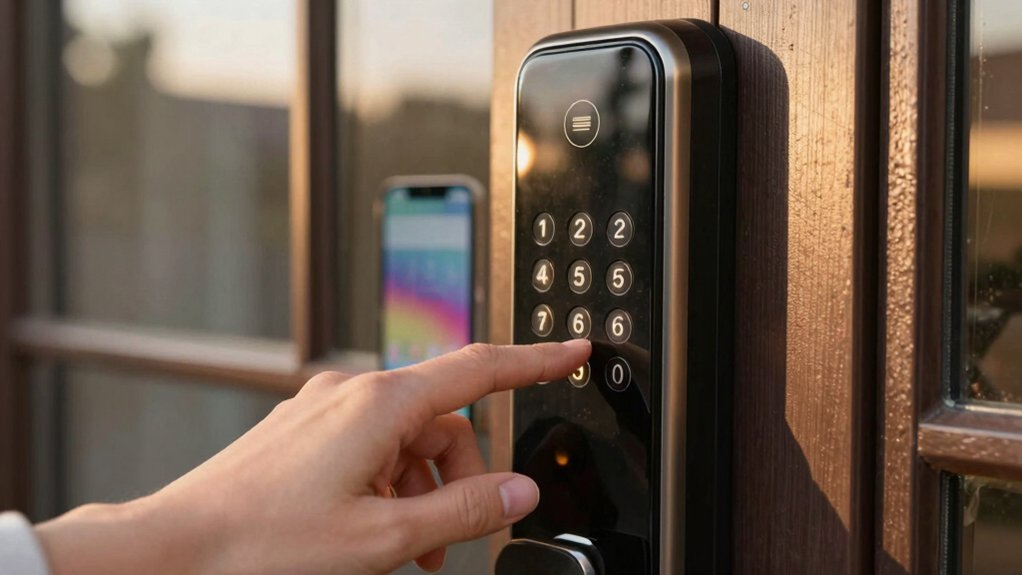
You can create time-limited guest codes by picking a smart lock and app that support scheduled codes. Then, make a guest profile and assign a unique code with an exact start and end date/time so it auto-expires at checkout.
Share the code securely via the guest portal or encrypted message. Monitor use in activity logs, and revoke or delete the code after their stay. Keep a backup entry method and check connectivity for troubleshooting. Keep going to learn practical setup and security tips.
Creating Time Limited Guest Codes for Smart Locks: You can create time-limited guest codes by picking a smart lock and app that support scheduled codes . Then, make a guest profile and assign a unique code with an exact start and end date/time so it auto-expires at checkout.
Quick How-To: Create a Time-Limited Guest Code (5 Steps)
Want to let someone in for a limited time without changing your main code? Open your smart lock’s app and go to the guest access or codes section to start.
First, create a new guest profile so the code is tied to an identity for clear guest authentication. Second, pick the exact start and end date and time; precision prevents accidental access.
Third, generate a unique code or digital key and assign it to that profile, making sure it’s set to expire automatically at the end time. Fourth, communicate the code, approved access window, and any house rules to the guest so expectations are clear.
Fifth, monitor access activity through the app’s logs as part of routine remote access management. Revoke or delete the code once the stay or service is complete. Following these five steps keeps access controlled, auditable, and easy to manage without altering your primary credentials.
Choose a Smart Lock That Supports Scheduled Guest Codes
How will you know you picked the right smart lock for guest access? Pick a lock that explicitly supports scheduled guest codes in both hardware and its app so time-limited access is reliable and not an afterthought.
Check these essentials before you buy:
- Confirm per-guest start/end times and auto-expiry so codes vanish at checkout without manual revocation.
- Verify compatibility with your mobile app, cloud service, or home automation platform to manage codes and device pairing smoothly.
- Ensure support for unique, guest-specific codes (4–8 characters) tied to individual profiles and unshareable across users.
- Look for audit logs and activity history to enable security auditing and verify each code use within its scheduled window.
You’ll want a lock that logs events and pairs cleanly with your ecosystem. That combination gives you manageable guest access, transparent security auditing, and predictable device pairing behavior for fewer surprises.
Create, Schedule, and Assign a Unique Guest Code
Now that you’ve picked a lock that supports scheduled guest codes, you’ll create and assign a unique code tied to each guest profile so access is limited to the exact stay. In the Rently Blue Locks interface, choose the guest, select a start and end time, and generate a time-limited code. Link that code to the guest profile so it isn’t reused or shared across multiple people.
Confirm the guest, lock, and time window via on-screen user verification to avoid mistakes. The code will automatically expire at the end of the defined window; this prevents lingering access after checkout. After the stay ends, delete or disable the code to uphold security best practices and prevent reuse.
Keep your workflow consistent: always assign unique codes, verify settings before activation, and remove access promptly when the reservation concludes. This reduces risk, maintains clear audit trails, and ensures guests only have access for their authorized period.
Who should get the code and how you send it matters: Always distribute each guest’s unique, time-limited code directly to the guest linked to their booking (via your PMS message, a secured guest portal, or an encrypted SMS/email service). Avoid posting codes publicly or sending them to third parties. You’ll reduce sharing and keep access traceable.
- Use secure distribution: Tie codes to the booking, set clear start/end windows, and never reuse codes so each stay is accountable.
- Notify guests of check-in/check-out windows and access rules. Provide information on where to find the code and how to verify device status if needed.
- Monitor activity logs: Review code use for arrival/departure times and spot unusual events; automated alerts help you act quickly.
- Revoke or delete codes immediately after the visit to prevent lingering access and maintain a clean audit trail.
Follow these steps and you’ll balance convenience with security. Keeping guest access both smooth and well-monitored is essential.
Troubleshoot Issues, Set Backups, and Remove Codes After Checkout
Troubleshooting common issues and having backups in place will keep guest arrivals smooth and your property secure. Start by confirming each code has an explicit start and end time and that the lock is set to expire codes automatically at checkout. If a guest can’t enter, check the activity log to verify code usage and timestamps. Confirm the device’s connectivity and resend credentials if the code was incorrect. Keep a clear mapping of codes to guests so you can quickly identify who’s affected.
Establish a backup access method: a physical key or an admin override for outages or app failures. After checkout, promptly delete or revoke the guest code and log that action to reduce reuse risk. Monitor logs for anomalies and rotate codes between stays. These security best practices protect your property and respect user privacy by minimizing lingering access and keeping access records tied to the intended guest only.
Frequently Asked Questions
Can Guest Codes Be Used for Deliveries or Service Providers Automatically?
Yes, you can automate guest codes for deliveries and service providers, but you’ll need the right system. You’ll set time-limited codes or single-use credentials that match delivery automation rules. Additionally, you’ll log and revoke them for service authorization.
Choose a platform that integrates with your calendar or carrier apps, monitors use, and alerts you. Test it first; restrict permissions by task, and rotate codes regularly for security.
Can I Set Recurring Guest Codes for Regular Cleaners?
Yes, you can set recurring guest codes for regular cleaners. You’ll schedule recurring access (daily, weekly, specific days) if your smart lock compatibility supports timed or recurring codes.
Check your lock app for recurring access settings, code duration, and notification options. Use unique codes per cleaner, limit access hours, and sync with integrations (home hubs or security systems) for reliable logging. That keeps access convenient, secure, and auditable.
Do Time-Limited Codes Work During Power or Internet Outages?
Usually they’ll still work if the lock has local battery power and on-device scheduling. However, they won’t work if the lock depends on cloud validation during outages. You should check each model’s offline behavior because network security and data privacy designs affect whether codes are stored locally or validated remotely.
Test your setup to confirm access during power or internet failures. Prefer locks that keep encrypted scheduling locally for reliable, private operation.
Are Guest Code Activities Private From Other Household Members?
Yes, guest code activities can be private, but it depends on your lock and app. You’ll still face privacy concerns if the system shows code visibility or shared logs to other household accounts.
Check who has admin access; whether notifications list specific codes or users; and if activity logs are viewable. Limit administrator sharing, disable detailed notifications, and use unique time-limited codes to keep guest activity as private as possible.
Can I Integrate Codes With Vacation Rental Platforms Automatically?
Yes, you can automate time-based access with platform integration. You’ll connect your smart lock’s management system or a middleware service to vacation rental platforms (like Airbnb or VRBO) via built-in integrations or APIs.
That lets you generate and revoke guest codes tied to booking dates automatically. Set rules for code length, reuse, and notifications. Test thoroughly and monitor logs so you’ll keep access reliable and secure.
Conclusion
You’ve now got the essentials to set up time-limited guest codes quickly and securely. Pick a lock that supports scheduled access, create unique codes, and set precise start and end times.
Share codes securely, monitor usage while guests are in, and keep a backup method in case of issues. After checkout, delete the code and review logs for peace of mind.
These simple steps protect your property and make guest access hassle-free.
Related reading: Creating Automations for Arming and Disarming Home Security — a closer look at this topic.