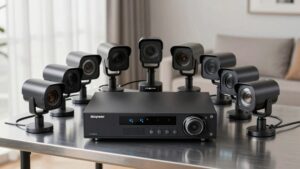
Keeping Cameras and Alarms Working During Internet Outages
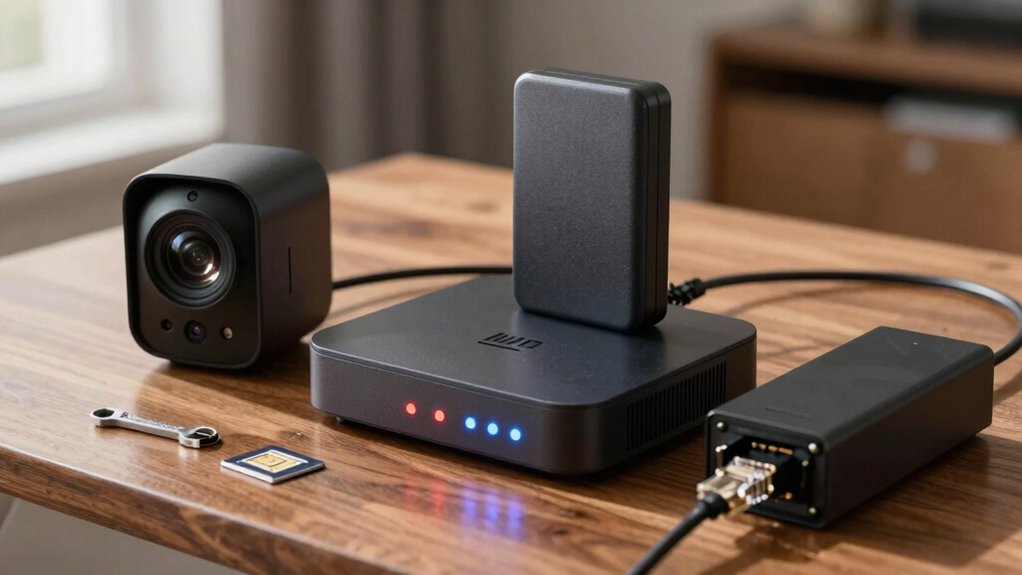
When the internet drops, check your panel and router lights. Confirm mains power and rely on battery-backed alarms and local recording so sensors stay armed and footage still saves to SD/NVR. Enable cellular failover (built-in SIM, LTE add-on, or a powered hotspot) for monitoring and push alerts. Use a UPS for network gear and critical cameras; pick high-endurance media and auto-sync to cloud when online.
Keep going to get setup steps, testing tips, and upgrade recommendations.
Keeping Cameras and Alarms Working During Internet Outages: When the internet drops, check your panel and router lights. Confirm mains power and rely on battery-backed alarms and local recording so sensors stay armed and footage still saves to SD/NVR. Enable cellular failover (built-in SIM, LTE add-on, or a powered hotspot) for monitoring and push alerts.
Quick Checks: Confirm an Outage and What Still Works
WONDERING IF IT’S JUST YOUR INTERNET OR A FULL OUTAGE? START WITH OUTAGE VERIFICATION: CHECK YOUR PROVIDER’S BASIC OUTAGE ALERTS IN THE APP OR PUSH NOTIFICATIONS TO SEE IF THEY’VE REPORTED A WIDER ISSUE. IF YOU DON’T SEE ALERTS, PHYSICALLY INSPECT THE PANEL AND ROUTER FOR POWER LIGHTS. CONFIRM MAINS POWER; THEN CHECK THE ALARM PANEL’S BATTERY LEVEL AND WHETHER CELLULAR BACKUP IS ENABLED.
IF CELLULAR BACKUP IS ACTIVE, YOUR ALARM ALERTS AND MONITORING CAN STILL REACH THE MONITORING CENTER EVEN WITHOUT WI‑FI. NOTE THAT LOCAL CAMERA RECORDING TO AN SD CARD OR NAS USUALLY CONTINUES DURING AN OUTAGE; HOWEVER, LIVE VIEWING MAY BE UNAVAILABLE WITHOUT INTERNET OR CELLULAR DATA. DON’T ASSUME FULL FUNCTIONALITY. A QUICK CHECK OF POWER STATUS, BATTERY HEALTH, AND CELLULAR CONNECTIVITY TELLS YOU WHICH DEVICES WILL KEEP WORKING. USE THIS CONCISE CHECKLIST TO DECIDE WHETHER TO WAIT FOR RESTORATION OR SWITCH TO BACKUP PROCEDURES.
What Stops Working When the Internet Drops
What stops working when the internet drops depends on where your devices send data: cloud-based live feeds and app notifications usually go first, leaving you without remote live view or push alerts unless your system has cellular backup. Local alarms and on-site recording often keep functioning.
You’ll lose remote playback and new clip uploads during cloud dependency failure; any footage stored only in the cloud becomes inaccessible until connectivity returns. App alerts stop arriving; however, local sirens and battery-powered sensors still trigger. Systems with outage resilience via cellular backup can keep sending alarms and maintain monitoring service connection.
| Affected function | Typical result |
|---|---|
| Remote live view | Disconnects if cloud-dependent |
| Mobile push alerts | Stop until internet/cellular resumes |
| Cloud-stored clips | Inaccessible; new uploads pause |
| Local alarms/sensors | Continue on-site, battery permitting |
Plan for mixed storage and cellular fallback to minimize impact.
Keep Recording Locally (SD, NVR/NAS, Auto‑Sync)
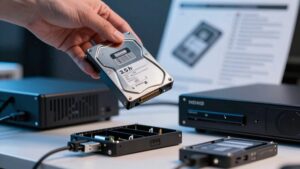
When remote feeds and cloud alerts go dark, the simplest way to keep recording is to store footage locally—on SD cards inside cameras or on a local recorder like an NVR/NAS—so your system keeps capturing video even without internet. You should choose SD cards and drive sizes (128GB, 1TB, etc.) based on desired retention and camera bitrate. Prefer cards with higher write endurance. An NVR/NAS centralizes feeds, offers larger capacity and easier management, and can be set to auto sync to cloud storage once connectivity returns.
Maintain your local storage with a routine: rotate cards, check NAS drive health, and verify backups. Use camera/NVR settings to control overwrite behavior and retention windows.
- Match card/drive size to retention needs.
- Monitor write endurance and replace worn media.
- Configure overwrite and retention policies on NVR/NAS.
- Enable auto sync to cloud for offsite copies after outages.
Power Resilience During Outages: UPS, Batteries, and Sensor Behavior
How long will your system keep protecting you if the power drops? You’ll rely on built-in battery backups for panels, sirens, and essential sensors. Most modern systems switch automatically so alarms stay armed. Runtime depends on design: professional Alarm.com panels are sized for extended outages; consumer DIY kits often use smaller packs and run shorter.
Check which peripherals have their own cells. Door/window sensors and some cameras keep functioning independently; others need separate backup power. Cameras with local storage (SD/NAS) can keep recording on battery power. However, expect limited live viewing without continuous power or a separate link.
To maximize power resilience, prioritize UPS units for network gear and critical cameras. Use quality battery backups for panels and ensure locks, sirens, and sensors are rated for uninterrupted operation. Test regularly: simulate outages, monitor battery health, and replace aging cells to avoid gaps when you need protection most.
Set Up Cellular Failover (Built‑In SIMs, LTE Add‑Ons, and Hotspots)
Want to keep alerts flowing even if your home internet dies? Use cellular failover so your cameras and alarms keep sending events. Choose between built-in SIMs, LTE add-ons, or a dedicated mobile hotspot. Alarm.com panels and providers like Ring or SimpliSafe support LTE backup to preserve monitoring when Wi-Fi drops.
Plan the setup practically:
- Verify your panel or camera supports a built-in SIM or an LTE module.
- If using a hotspot, confirm it’s always powered and provisioned with the correct APN.
- Pick a plan with sufficient data quotas for event uploads and periodic check-ins.
- Consider redundant SIMs or multi-carrier options to reduce single-carrier outages.
Lean hardware-first: configure carrier failover as the active backup path so life-safety and intrusion events transmit reliably. Test failover regularly and monitor SIM/hotspot battery and provisioning to prevent unexpected gaps in coverage.
Live‑View & Alert Workarounds (Tethering, Local Push, Sirens)
Need to keep seeing and hearing what’s happening even if your ISP fails? Use tethering backups to keep essential cameras and apps online: Tether a phone or dedicated mobile hotspot to your router or camera app to restore live-view and push notifications for critical periods. Remember live video over cellular is limited by battery and data; prioritize key cameras and short sessions.
Configure devices for local push and siren actions when internet is absent. Many systems will still trigger local push alerts, sound integrated sirens, and record to SD or NAS even without cloud access. Ensure panels and cameras have battery or cellular modules so intrusion alerts reach monitoring via cellular links. Rely on local storage for continuous recording; review footage once full connectivity returns.
Test tethering, local push behavior, and sirens periodically. This way, you will know which cameras you can view live and which only record locally during an outage.
Outage Checklist and Recommended Upgrades to Avoid Gaps
When will your security keep protecting you if the internet or power goes down? You need a compact outage checklist and targeted upgrades to avoid gaps. Prioritize outage preparedness by choosing systems with built-in cellular backup or an LTE failover so alarms and alerts still transmit without broadband. Confirm battery backup capacity meets or exceeds 24 hours to run panels, sirens, and essential sensors.
Add local storage (SD card or NAS) on cameras so recording continues when cloud access fails. Implement a wired or cellular-first package to reduce Wi-Fi dependence for critical alerts.
- Pick alarm panels with cellular backup or LTE failover.
- Verify battery backups sustain 24+ hours (UL standby guidance).
- Equip cameras with local storage (SD/NAS) for offline recording.
- Choose wired/cellular-first providers and test regularly.
Regularly test outage scenarios: validate battery health, backup connectivity, and post-outage synchronization of local and cloud footage.
Frequently Asked Questions
Can I Access Recorded Footage From a Different Location During an Outage?
Yes, you can access recorded footage remotely if your system supports remote access and stores video on local storage that remains reachable. If the recorder keeps files locally and you’ve set up a cellular backup, VPN, or mobile hotspot forwarding, you will connect to the device and stream or download clips.
If the internet is fully down at the site, you will need physical retrieval of the local storage or wait until network service resumes for remote access.
Will Firmware Updates Fail or Cause Issues During Intermittent Connectivity?
Yes, intermittent connectivity can cause update failures and glitches; however, firmware resilience reduces risk if systems support resume, checksums, and rollback. You should schedule updates during stable windows. Use staged or delta updates, and keep local backups and power stable.
If an update interrupts, verify integrity, revert to the last known-good firmware, and retry when the connection is steady. Monitor logs so you will catch corruption or partial installs quickly.
How Do Smart Home Automations Behave When the Cloud Is Unreachable?
If the cloud’s unreachable, your automations usually fall back to local rules if the device supports local processing; otherwise, they pause or queue actions until connectivity returns.
Check each device’s cloud dependency and enable local control where possible. That reduces outages and cuts cloud-related latency. Also, consider privacy implications: relying less on cloud keeps sensitive triggers off external servers.
Test failover paths so you know what works during disruptions.
Can My Insurance Claim Be Affected by Internet-Related Recording Gaps?
Yes, gaps can matter. You’ll face insurance implications if recordings are missing, inconsistent, or show tampering; insurers may challenge claim credibility or reduce payouts. Court admissibility can be weakened without continuous, timestamped, and verifiable footage. Chains of custody and device logs help.
You should document outages, keep local backups, enable failover recording, and notify your insurer promptly to preserve evidence and reduce disputes.
Are There Privacy Risks When Devices Switch to Cellular Backup?
Yes, you face privacy risk when devices switch to cellular backups. You should assume different data accessibility, logging, and routing rules apply. Carriers may route or store traffic differently; vendors might send data through third-party servers.
Check encryption, retention, and access policies. Disable unnecessary remote access, and use strong credentials. Audit who can retrieve records during a backup and confirm providers limit metadata sharing and follow applicable privacy regulations.
Conclusion
When the internet drops, don’t panic: confirm the outage, check what still talks to your devices, and rely on local recording (SD or NVR/NAS) and battery-backed power.
Add cellular failover (built-in SIM, LTE adapter, or a hotspot) for remote alerts and live view. Enable local push/alarms so sensors still trigger sirens. Use an outage checklist, test regularly, and prioritize UPS and redundant comms to avoid gaps in coverage and response.
Related reading: Security Camera Wifi Keeps Disconnecting Troubleshooting — a closer look at this topic.