Legal Considerations for Outdoor Security Cameras at Home
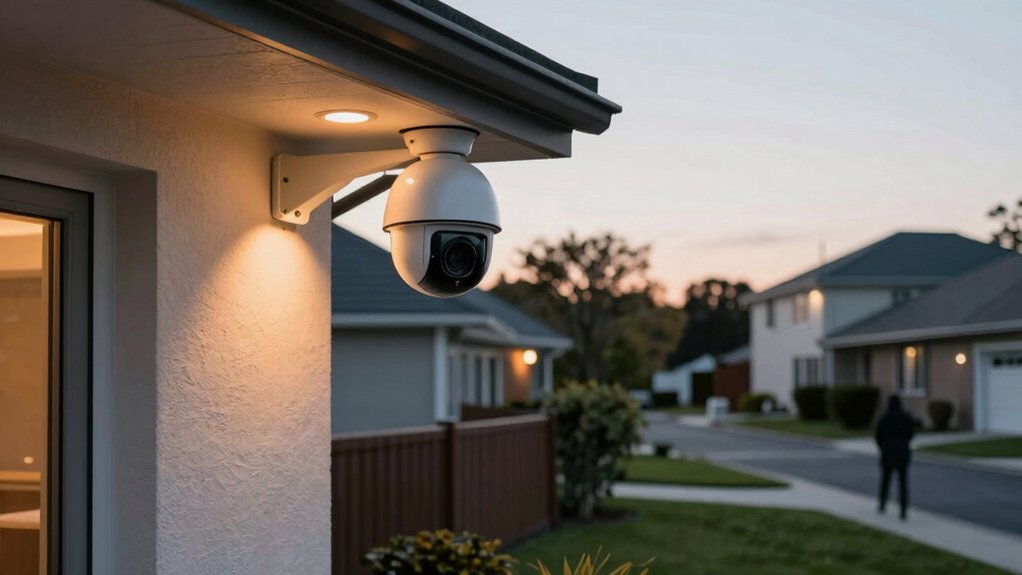
You can legally record public areas from your yard, but don’t aim cameras or microphones at neighbors’ private spaces (bedrooms, bathrooms, fenced yards) or you risk civil or criminal claims. Follow state audio-consent laws: disable mics in all-party states. Check local ordinances and HOA rules, post clear surveillance notices, and use privacy zones and limited retention to reduce liability.
Secure footage with strong access controls and minimal retention. Keep scanning below for practical placement, audio workarounds, and compliance steps.
Legal Considerations for Outdoor Security Cameras at Home: You can legally record public areas from your yard, but don’t aim cameras or microphones at neighbors’ private spaces (bedrooms, bathrooms, fenced yards) or you risk civil or criminal claims. Follow state audio-consent laws : disable mics in all-party states.
Quick Rules: Is Pointing an Outdoor Camera at Neighbors or the Street Legal?
Wondering whether you can point a camera at your neighbor’s yard or the street? You generally can if the camera records publicly visible areas and steers clear of private spaces where people reasonably expect privacy: bedrooms, bathrooms, and fenced private yards.
Respect privacy rights by avoiding windows and interiors. In states with all-party consent for audio, like California, disable microphones before aiming toward neighbors or the street to reduce legal risk. Use clear signage to indicate video surveillance; that evidence-based step can mitigate nuisance concerns and disputes.
Check local ordinances and HOA rules: they may impose placement limits, required signage, or data-retention rules that affect legality. Don’t assume “public view” equals unlimited access. Positioning, angle, and recorded content determine whether you cross legal or civil lines.
If you’re unsure, document your setup choices and consider brief legal advice to minimize liability and neighbor conflicts.
Key Federal and State Rules Homeowners Must Know
How do federal and state rules affect where and how you install outdoor security cameras? Federal law gives a baseline: you can record video on your property unless you capture a reasonable expectation of privacy (bedrooms, bathrooms). State laws then change the audio rules and finer placement limits.
| Law type | Example effect |
|---|---|
| Federal baseline | Video ok on your property; avoid private interiors |
| State variation | Some require all-party consent for audio; others one-party |
Risk: if you ignore state consent rules, you face civil or criminal liability. In all-party consent states (e.g., California, Florida), disable audio or get consent. In one-party states (e.g., New York, Texas), you can record if you’re a participant.
Don’t point cameras at neighbors’ private spaces. Local ordinances or HOA rules may add signage, retention, and placement constraints. Avoid treating privacy as an irrelevant topic or taking an unrelated angle. Tie installation choices to the specific laws where you live and verify jurisdictional rules before mounting cameras.
Outdoor Camera Audio Consent and Practical Workarounds
Curious what rules govern audio on outdoor cameras and how to avoid legal trouble? You must treat audio differently than video: federal ECPA and state wiretap laws often require consent to record conversations. Some states are one-party consent; others require all-party consent. The legal mix depends on location and context. That means you should verify local law before enabling microphone features.
Practical workarounds reduce risk. Disable audio in camera settings when unsure, or position devices to avoid private windows and conversations. Use clear privacy policies for household users and visitors, and document consent if recording requires it. Prefer devices that support selective audio capture, local-only storage, and data portability so you can export or delete recordings on request.
Maintain logs of consent and retention practices to demonstrate compliance. By combining technical controls, written notices, and conservative placement, you minimize legal exposure while preserving essential security functions.
Legal Camera Placement: Allowed Areas vs Off‑Limits Zones
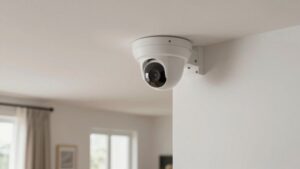
After handling audio consent, you still need to think about where cameras point and what they capture: video law is less restrictive than audio but still limits intrusion into others’ private spaces. You should position cameras to cover front yards, driveways, entryways, and perimeter areas visible from public spaces. Avoid aiming at neighbors’ windows, private yards, bathrooms, or bedrooms. Configure privacy zones to block views of adjacent private areas and disable audio to reduce legal risk.
Check local ordinances and HOA rules for signage, permitted angles, and data retention limits that may affect placement.
| Allowed Areas | Off‑Limits Zones | Risk Mitigation |
|---|---|---|
| Front yard, visible from street | Neighbor’s interior rooms | Set privacy zones |
| Driveway and entryway | Private backyard not visible publicly | Disable audio |
| Perimeter fencing visible publicly | Bathrooms/bedrooms/changing rooms | Follow local rules |
| Public-facing windows | Covert/hidden cameras | Post clear signage |
| Gate/confined access | Direct view into neighbor’s property | Limit recording duration |
How Long to Keep Footage and How to Secure It
What retention period makes sense for your home security footage depends on local rules, your security needs, and storage method. There is no federal mandate; many local ordinances or HOAs set 30 to 90 days as common practice.
Balance risk: keep footage long enough to investigate incidents but not so long you increase exposure to breaches or privacy harms.
Choose storage deliberately. Local storage gives you control. Cloud plans often offer longer retention tiers but add ongoing costs and third-party risk. Practice data minimization: retain only necessary footage and delete irrelevant clips promptly.
Apply retention governance: document your retention periods, review them regularly, and update when laws or circumstances change.
Secure retained footage by limiting access to authorized users, enforcing strong authentication, and using encrypted storage and transfers. If you plan to reuse footage for marketing or non-security purposes, obtain permissions and verify legal compliance before sharing.
Compliance Checklist: Signage, Privacy Zones, HOA & Tenant Steps
Wondering how to stay compliant while keeping your property secure? Start with visible surveillance signs to meet notification expectations and deter disputes. Signs aren’t always legally required, but they reduce liability and complaints.
Next, implement privacy zones: angle cameras away from bathrooms, bedrooms and neighbors’ interiors. Restrict views to entry points and public-facing areas so you limit collection of sensitive images.
Review HOA rules and municipal ordinances before installation. Retention periods, signage, and data-access rules vary by jurisdiction and can impose stricter obligations than state law. Prefer non-hidden, exterior-facing devices and disable audio where laws require all-party consent or tighter restrictions.
Inform tenants and household members about active cameras, recording settings and any configuration changes to maintain transparency and avoid claims of covert surveillance.
Document compliance steps: signage photos, camera angles, HOA approvals and tenant notices to create an audit trail that minimizes legal and reputational risk.
Frequently Asked Questions
Can I Use Motion-Triggered Spotlights With Cameras Without Legal Issues?
Yes, you can use motion-triggered spotlights with cameras, but you should manage privacy concerns and evidence admissibility risks. You will avoid legal trouble by aiming lights and cameras away from neighbors’ private areas. Additionally, you should post notices if required and follow filming and audio laws.
Preserve footage securely with timestamps to support admissibility. Limit data retention and consult local regulations; doing so reduces liability and strengthens any evidence you collect.
Do Doorbell Camera Visitors Need Posted Notice Before Recording?
You generally don’t have to post notice for doorbell camera visitors, but doorbell privacy and visitor notification expectations vary by location and purpose. You should inform guests if footage might capture private areas or audio. Follow local consent and audio-recording laws, and avoid targeting neighbors’ property.
Prioritize clear signage or verbal notice when recording is likely to capture others. Keep recordings secure, and delete footage per retention limits to reduce legal risk.
Generally, you shouldn’t share captured footage on social media without consent. Sharing consent matters and social media legality depends on location and expectation of privacy. You’ll face civil liability or criminal exposure if footage reveals private areas, identifiably harms someone, or violates wiretapping laws.
Limit sharing, blur faces, and obtain written consent when possible. Consult local statutes; insurers and police can advise when public-safety exceptions apply.
Are There Specific Rules for Cameras Monitoring Rental Property Common Areas?
Yes, you need to follow specific rules for rental property common areas. You should notify tenants and limit cameras to public/shared spaces: no private areas like inside units or bathrooms. Use cameras for legitimate security purposes and store footage securely with access controls.
Check local/state laws and lease terms for consent and notice requirements. Avoid audio recording where prohibited to reduce legal and privacy risks.
Do State Wiretapping Laws Apply if My Camera Records Audio at Night?
Yes, state wiretapping laws can apply if your camera records audio at night. You’ll face privacy concerns and must follow consent requirements that vary by state: some require one-party consent; others require all parties’ consent.
You should check local statutes and case law. Avoid recording where people expect privacy, post notices when lawful, and consider disabling audio or getting explicit consent to reduce legal and liability risk.
Conclusion
You can point outdoor cameras at public areas like streets and your property’s boundary. However, avoid deliberately recording into neighbors’ private spaces, such as windows or backyards. Federal law lets you record video in public; audio’s trickier: get consent or disable sound.
Limit retention to what’s necessary. Secure footage with encryption and strong passwords. Post clear signage where required.
Check state laws, HOA rules, and lease terms. Document steps you’ve taken to reduce privacy risks.
Related reading: Indoor Security Camera Placement — a closer look at this topic.