Micro Sd Card Size Limits for Security Cameras
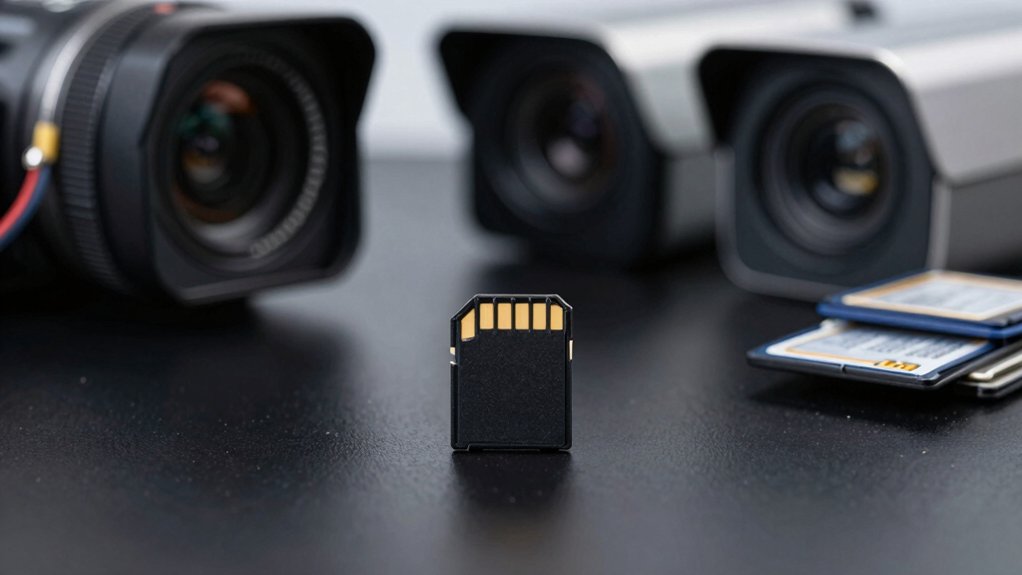
Most cameras accept microSDHC (up to 32GB) or microSDXC (64GB–1TB); however, your model and firmware set the true maximum. So, check specs before buying.
Choose Class 10/UHS-I cards with V10/V30 or higher. Sustained write matters more than peak speed.
For 24/7 use, pick high-endurance or surveillance cards. Alternatively, move to SSD/NVR for longer retention. Continue on for capacity estimates, endurance tips, and compatibility checks to size storage properly.
Micro Sd Card Size Limits for Security Cameras: Most cameras accept microSDHC (up to 32GB) or microSDXC (64GB–1TB); however, your model and firmware set the true maximum. So, check specs before buying. Choose Class 10/UHS-I cards with V10/V30 or higher. Sustained write matters more than peak speed. For 24/7 use, pick high-endurance or surveillance cards.
How Big a microSD Card Can Your Camera Use?
How large of a microSD card your camera can use depends on the model and its supported formats (microSD, microSDHC, microSDXC): check the manual for the exact maximum, which commonly ranges from 128GB to 512GB. In some newer models, it reaches 1TB.
You should confirm the camera’s documented cap; many list 128GB, 256GB, or 512GB as limits, and some explicitly accept 1TB. Verify card type compatibility (microSDXC vs microSDHC) because mismatches will prevent recognition.
For continuous or high-bitrate recording, pick high-endurance cards to withstand frequent writes when the camera supports larger capacities. Don’t assume bigger is always better: firmware or file system constraints can make oversized cards unusable.
Ignore any irrelevant topic or details that are outside scope here; focus strictly on stated maximums and endurance ratings. Always check the official spec before buying to ensure the card will be recognized and reliable for your workload.
How Resolution & Recording Mode Drive Storage Needs (microSD)
Want to know why storage needs jump with higher resolution or continuous recording? Higher resolution increases per-frame data: 4K clips consume several times more space than 1080p. The resolution impact is immediate. A given microSD capacity will hold far fewer hours at higher resolutions.
Recording mode compounds that. Motion vs continuous recording creates very different consumption profiles. Continuous recording writes every second; this requires large cards (128GB–512GB) for uninterrupted retention. Motion-triggered recording writes only events, dramatically extending usable time on smaller cards. For light 1080p use, 32GB–64GB may suffice.
Codec efficiency also matters. Modern H.265 compression can extend storage duration roughly 30–50% compared to older codecs. This reduces the effective resolution impact.
Practically, pick capacity based on your resolution, expected activity, and whether you use motion detection or continuous recording. If you need multi-camera coverage or high-activity areas, prioritize larger microSD cards and efficient codecs to avoid rapid fill-up.
Estimate Days of Footage for Any Card Size
Curious about how long a given microSD will actually hold your camera footage? Use these baseline estimates for storage guidance and budget planning: 32GB yields ~2–3 days for one 1080p camera with basic monitoring.
64GB gives ~4–6 days for one to two home cameras under similar settings. 128GB stores ~8–12 days for two to four cameras with active monitoring or ~80 hours continuous. 256GB typically lasts ~16–24 days for multiple cameras using motion detection or ~160 hours continuous.
Continuous recording, higher resolution (4K), and higher bitrates reduce these durations substantially. H.265 compression can extend retention by up to about 50% compared with older codecs. To estimate any card size, scale linearly: double capacity, double retention, and adjust for codec and resolution.
Factor in camera count, recording mode, and codec efficiency when doing quick calculations for storage guidance and realistic budget planning so you buy the right card without overpaying or losing crucial footage.
Practical microSD Capacity Recommendations (32–512 GB)
Which capacity fits your setup best depends on resolution, recording mode, and camera count. For typical deployments, choose between 32GB and 512GB based on expected footage generation: 1080p motion-triggered systems usually do well with 128–256GB. Continuous 4K often needs 256–512GB. A 4MP camera at 15fps can produce roughly 64GB per day; a 128GB card may fill in about two days under similar conditions. Some 8MP/4K cameras compress more efficiently, letting 128GB store roughly 72.8 hours in specific cases.
You should prioritize endurance and reliability alongside capacity to avoid premature wear in 24/7 surveillance. High-endurance cards are recommended. Don’t be distracted by irrelevant topic or unrelated theme marketing claims when selecting size: focus on your cameras’ bitrate, expected retention window, and overwrite policy. Match capacity to retention needs and camera count to avoid frequent swaps or lost footage.
Write Speed & Class Requirements for Reliable Recording
How fast does your microSD need to be? You should choose Class 10, UHS‑I (U1), V10 or better for reliable recording. Many systems perform best with UHS‑I V30 (≈70 MB/s write) when capturing Full HD to 4K. Don’t treat burst read/write specs as the whole story; sustained write performance prevents dropped frames during continuous recording. Video is often compressed to ~3–8 Mbps. However, continuous 4K benefits from V30 or V60 ratings to maintain steady throughput.
Pick surveillance‑grade, high‑endurance cards because endurance, not peak speed, dictates long‑term reliability. Consumer cards may have higher peaks but far fewer write cycles. Match card rating to camera resolution and recording mode: higher resolution or 24/7 continuous recording increases the need for sustained write performance.
Avoid considering irrelevant topics or unrelated considerations like brand aesthetics when selecting a card. Focus on class, sustained write rating, and endurance.
Why High‑Endurance microSD Cards Matter for 24/7 Use
Why does endurance matter for 24/7 security recording? You rely on consistent captures, and constant writing wears flash memory. High Endurance microSD Cards are engineered for continuous workloads; they give you 3,000+ write cycles versus 300–500 for consumer cards. That difference cuts premature failure and reduces corrupted footage.
| Feature | Surveillance-grade | Consumer-grade |
|---|---|---|
| Write cycles | 3,000+ | 300–500 |
| Durability focus | MTBF / longevity | Peak speed |
| Recommended brands | Samsung Pro Endurance, SanDisk High Endurance | Various |
You should prioritize durability and MTBF over burst transfer rates. Continuous recording stresses cells in ways speed-optimized cards don’t address. Expect to replace cards every 1–2 years for uninterrupted reliability and minimal data loss. Pick a certified high endurance card matched to your camera’s recording mode to ensure long-term operation under constant writing.
Check Camera Compatibility and Firmware Limits
Having picked a high‑endurance card for continuous recording, you still must confirm your camera actually supports the card size and format you plan to use. Check your camera’s spec sheet for maximum supported microSD size: some models stop at 128GB while others accept 256GB or 512GB. Note whether it lists SD, SDHC, or SDXC. Firmware limits and generation differences can further restrict capacity or filesystem support; therefore, review manufacturer release notes before upgrading.
Perform these practical checks:
- Verify camera compatibility by model number and supported card types (SD/SDHC/SDXC).
- Inspect firmware limits in changelogs; update firmware if the vendor adds larger‑card support.
- Match card endurance and sustained write speed to the camera’s bitrate to avoid premature failures.
- Always format the card in the camera when supported; external formatting can trigger apparent size errors.
Following these steps prevents incompatibility and unlocks the real storage potential without guesswork.
When to Use microSD vs. SSD or Cloud for Home CCTV
When should you choose a microSD card, an SSD, or cloud storage for home CCTV depends on your priorities for capacity, reliability, latency, and cost. Use microSD when you need simple, low-cost local retention for one or a few cameras: 32–64GB for light and 128–512GB for multi-camera or higher-resolution setups. Choose surveillance-grade cards (Samsung Pro Endurance, SanDisk High Endurance, WD QD101) and minimum Class 10/UHS-I/V10 write speeds to endure constant writes.
Pick an SSD when you need large-capacity, high-write endurance, or centralized NVR recording with multiple cameras and longer retention. SSDs reduce overwrite frequency and simplify storage budgeting. Use cloud when you want off-site redundancy, easy access, and tamper resistance. However, expect ongoing costs and potential latency.
Avoid mixing this decision with unrelated topic decisions. Treat it purely as a storage architecture tradeoff: local cost/latency versus centralized capacity/reliability. Then size and endurance accordingly.
Frequently Asked Questions
Can a Corrupted microSD Card Void My Camera’s Warranty?
Yes, a corrupted microSD card can affect warranty coverage if the damage to the camera stems from user actions. You’ll want to check warranty implications: manufacturers often exclude damage caused by improper cards, formatting, or third-party faults.
Data recovery risks are yours; they will typically refuse responsibility for lost footage. To protect coverage, follow official specs, keep receipts, document faults, and avoid using unsupported or physically damaged cards that could cause hardware failure.
How Does Extreme Temperature Affect microSD Lifespan?
Extreme temperature accelerates wear and damages memory cells. You’ll see reduced microSD lifespan and higher failure rates. Thermal cycling stresses solder joints and package materials, degrading camera durability and increasing data errors.
You should choose industrial-grade cards rated for your operating range. Additionally, provide thermal shielding or ventilation and schedule frequent backups and health checks. That practical approach minimizes downtime and preserves both storage integrity and the camera’s long-term reliability.
Can I Use SD Adapters With microSD in Cameras?
Yes, you can use SD adapters with microSD in cameras, but check camera compatibility first. Adapters physically convert microSD to standard SD size without altering format; thus, most cameras accept them if they support the card’s capacity and filesystem (e.g., SDHC/SDXC, exFAT).
Use high-quality adapters to avoid poor contacts. Ensure UHS speed class meets recording needs and verify firmware supports the card size for reliable performance.
Are Encrypted microSD Cards Compatible With My Camera?
Yes, encrypted microSD cards can work, but you’ll need to confirm encrypted formats and camera compatibility first. Check the camera’s firmware and manual for supported encryption types: hardware AES, SD standards, proprietary. If the camera doesn’t support the card’s encryption, it won’t read or format properly.
Use manufacturer-approved cards or disable encryption before insertion. Test recording and playback after installation to verify full functionality and reliability.
How Often Should I Format a Surveillance microSD Card?
You should format a surveillance microSD card every 3–6 months, depending on write intensity and card quality. Use format frequency aligned to continuous recording, higher motion areas, and overwrite cycles. Include two word discussion ideas like “wear leveling” and “file fragmentation” when planning maintenance.
Back up critical footage before formatting. Run vendor-recommended low-level or quick format tools, and monitor SMART-like health indicators or error rates to adjust schedule.
Conclusion
You’ll want to match card size to resolution, frame rate, and recording mode: higher settings need exponentially more space. For 1080p continuous, 128–256 GB is a practical balance. For 4K or multi-camera systems, pick 512 GB or use looped cloud/SSD.
Always buy high-endurance, video-rated cards with adequate write speed, and check your camera’s firmware file-size/partition limits. When reliability matters for 24/7 recording, endurance and compatibility beat raw capacity alone.
Related: 256GB microSD Cards