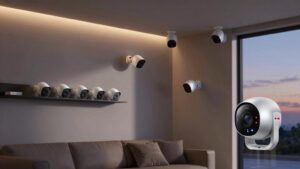
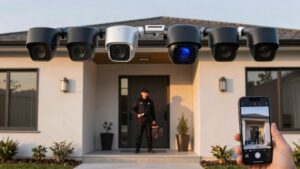
Security Camera Detection Types Glossary Person Vehicle
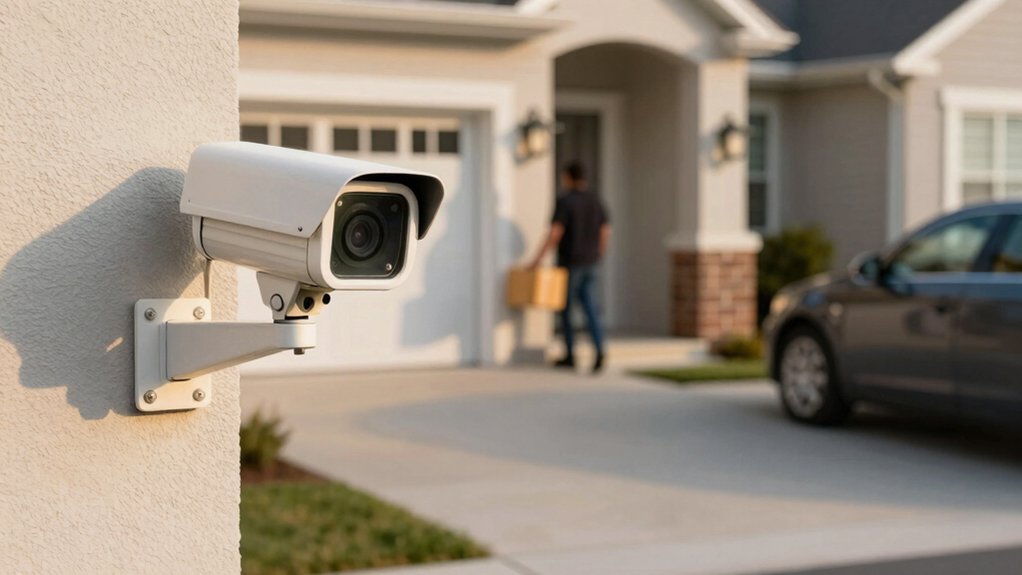
You’ll get three core detection types: person, vehicle, and package. Person detection triggers when a human enters your motion or Bird’s Eye zones and reduces false alarms.
Vehicle detection flags cars in defined zones; it is best within ~100 ft for large vehicles and less at night.
Package detection (doorbells only) watches a designated drop spot.
Use zones, sensitivity, and placement to cut false positives. Verify clips to improve models, and keep configuring for better reliability if you want more details.
Security Camera Detection Types Glossary Person Vehicle Package: You’ll get three core detection types: person, vehicle, and package. Person detection triggers when a human enters your motion or Bird’s Eye zones and reduces false alarms. Vehicle detection flags cars in defined zones; it is best within ~100 ft for large vehicles and less at night.
What Person, Vehicle, and Package Detections Actually Do
Curious what those different alerts actually mean? You’ll get person detection when a human enters configured Motion Zones or Bird’s Eye Zones. This cuts down non-human motion alerts by focusing on likely detection causes.
Vehicle detection triggers when a car moves into your defined zones; use Bird’s Eye Zones to fine-tune ranges and reduce false positives from nearby streets. Package alerts work for doorbells (not Peephole Cam) once you create a Package Zone under Smart Alerts in Motion Settings. This ensures deliveries don’t mix with general motion.
If the system’s uncertain, it’ll flag messages like “Arlo thinks it saw a vehicle” or “Arlo thinks it saw an animal.” This helps you interpret ambiguity. Rich notifications include clip images so you can verify events in the app or library. You can opt into data donations to improve AI accuracy over time.
Use alert customization to target threats, minimize noise, and keep monitoring focused on what matters.
Quick Setup Checklist for Person, Vehicle, and Package Alerts
WONDERING HOW TO GET RELIABLE PERSON, VEHICLE, AND PACKAGE ALERTS FAST? START IN THE RING APP: OPEN SMART ALERTS AND TOGGLE PERSON, VEHICLE, AND PACKAGE ALERTS UNDER MOTION SETTINGS. ENABLE THE PACKAGE ZONE FOR DOORBELS (NOT PEEPHOLE CAM) SO EVENTS SHOW MARKERS ON THE EVENT TIMELINE. USE MOTION ZONES FOR PERSON DETECTION AND ADD BIRD’S EYE ZONES TO REFINE PERSON AND VEHICLE RANGE.
CHECK CAMERA PLACEMENT FOR A CLEAR VIEW WITH MINIMAL OBSTRUCTION. REPOSITION TO AVOID BLIND SPOTS AND REDUCE FALSE ALARMS FROM NEARBY FOLIAGE. BE MINDFUL THAT HEADLIGHTS FACING THE CAMERA MAY HINDER DETECTION; ADJUST ANGLE OR SET EXCLUSION ZONES IF POSSIBLE. RUN CALIBRATION ROUTINES AFTER REPOSITIONING TO LET THE SYSTEM LEARN YOUR SCENE. REVIEW SETTINGS PERIODICALLY TO COUNTER DETECTION MISCONCEPTIONS, LIKE EXPECTING PACKAGE ALERTS FROM UNSUPPORTED MODELS.
TEST EACH ALERT TYPE BY WALKING, DRIVING, AND PLACING A PACKAGE IN THE ZONE. CONFIRM NOTIFICATIONS AND FINE-TUNE ZONES UNTIL ALERTS MATCH REAL-WORLD BEHAVIOR.
Person Detection: How It Works and Real-World Use Cases
Now that your zones and placement are tuned, person detection zeroes in on human activity so you get fewer irrelevant alerts. You’ll enable it in Smart Alerts under Motion Settings for any camera or doorbell. The AI filters out non-human motion, works with Motion and Bird’s Eye Zones, and reduces false alarms so you can act faster. Notifications often include an image from the clip and clearly state confidence: e.g., “Arlo thinks it saw a person” when unsure.
Use cases include perimeter monitoring, entryway verification, and targeted patrol alerts for security teams.
| Benefit | Typical real world usecases |
|---|---|
| Fewer false alarms | Homeowners ignoring pets and foliage |
| Rich notifications | Security staff verifying a delivery or intruder |
| Zone-based focus | Retail loss prevention at specific aisles |
Configure sensitivity and review clips to tune accuracy. Person detection gives you precise, actionable alerts so your response is timely and efficient.
Vehicle Detection: Range, Limits, and Typical Failure Modes
How far can a camera reliably spot a vehicle? You’ll generally get useful vehicle range up to about 100 feet for larger cars, trucks, and buses. Smaller motorbikes and bicycles may be detected closer in. For best detection reliability, keep vehicles under roughly 20 mph; faster motion often drops detection.
Maintain a clear, unobstructed view; partial blockage or nearby obstacles will reduce performance. Expect probabilistic results: the system may flag uncertain events as “Arlo thinks it saw a vehicle.” This helps you triage clips but also signals potential false positives.
Lighting conditions matter: direct headlights toward the camera or poor nighttime illumination can hinder detection and increase misclassifications. You can improve outcomes by reviewing and verifying clips in your Library and optionally contributing data via the Arlo Secure App so models refine vehicle range and accuracy over time.
Design placement and settings with these limits in mind to maximize security utility.
Package Detection: Placement, Timing, and Best Practices
Where should you point your doorbell or camera for reliable package alerts? Aim the lens directly at the usual drop spot and frame the full delivery zone so the Package Zone can be drawn precisely. Good placement timing and best practices reduce false negatives.
First, turn on Package Alerts in Smart Alerts under Motion Settings. Then, create the Package Zone around the area where parcels sit so markers appear on the Event Timeline. You’ll get notifications when items enter that zone, helping you verify deliveries and deter theft without enabling all motion detections.
Position cameras to avoid obstructions, wide-angle blind spots, or heavy foliage that can hide packages during typical delivery hours. Test alerts after initial setup and adjust the zone if you see missed or extra events. First-time activation requires finalizing the Package Zone for accuracy.
Use placement timing awareness: consider common carrier arrival windows and angle cameras to capture deliveries as packages transition into the defined zone.
Day vs Night Performance: Lighting, Infrared, and Headlight Tips
Why does lighting matter so much for detection? You depend on good day performance for clear views. Larger vehicles detect reliably up to approximately 100 feet when lighting and angle are favorable. Partial obstructions or vehicles only partly visible will still often fail detection. Therefore, position cameras to minimize blockage.
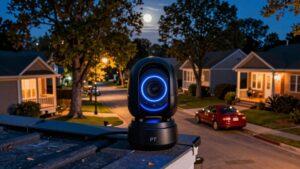
Night performance shifts to infrared and limited range. Infrared supports detection in dark environments and can spot animals and objects up to about 25 feet; however, it’s not as forgiving as daytime imaging. Direct headlights aimed at the camera can wash out the scene, reduce contrast, and lower vehicle detection accuracy. Avoid mounting locations that face oncoming beams or use shielding and angle adjustments to reduce glare.
If the system isn’t confident, it may flag uncertain events. For example, “Arlo thinks it saw a vehicle” prompts your verification. Monitor placement, lighting, and angles to optimize both day performance and night performance without raising false positives.
Fine-Tune Alerts to Cut False Alarms (Zones, Sensitivity, Filters)
Good placement and lighting cut many false alerts, but you’ll still need to tune the camera’s reporting to avoid noise from leaves, pets, or passing shadows. Use zone placement to draw Motion or Bird’s Eye Zones around driveways, entrances, and perimeters so the system only watches priority areas. Set zone shapes tight to avoid trees, bushes, or sidewalks that generate irrelevant motion.
Use sensitivity tuning to adjust how readily each zone reports movement. Lower sensitivity for busy backgrounds and raise it for critical approaches. Apply object filters to ignore small animals and highlight people or vehicles, reducing unnecessary notifications. Regularly review clips and update zones and sensitivity as seasons, foliage, or camera angles change.
Keep configurations conservative for residential use and stricter for commercial perimeters. This focused approach minimizes alert fatigue, preserves storage and bandwidth, and ensures you only get notified when something that matters crosses a properly placed, correctly tuned zone.
How to Verify Clips and Help Improve the AI
Curious how your clicks can sharpen detection? You can verify detected clips in the Library to directly improve the AI’s accuracy. Use straightforward verification tips: confirm whether an alert shows a person, vehicle, animal, or is a false positive. Tap the correct label and add optional notes when prompted.
The Arlo Secure App may ask you to donate clips; consenting shares real-world footage that boosts dataset quality and speeds model refinements. Your verifications help the algorithm learn across lighting and motion conditions. This learning reduces false alarms and extends reliable detection range. This applies to vehicle and animal detections alike, day or night.
Prioritize clear, unambiguous clips for donation and quickly flag misclassifications so engineers get clean signals. Regularly reviewing Library alerts keeps your system tuned and contributes to ongoing updates that improve overall performance. Small, consistent actions from you lead to measurable gains in detection precision and system reliability.
Choosing Cameras and Placement for Each Detection Type
When choosing cameras and placement for person, vehicle, and package detection, pick locations that give clear, unobstructed views of the specific target area and set detection zones to match. Aim cameras at walkways and entry doors for people and packages; aim them at driveways or road approaches for vehicles so you capture movement within the camera’s reliable range.
Position cameras to minimize glare from headlights and avoid partial blockages. Larger vehicles up to 100 feet detect more reliably than small cars, and accuracy drops with obstructions or direct light. Use Bird’s Eye Zones and Package Zones to focus alerts: enable package detection and draw zones at delivery spots. If your camera supports manual focus, lock it for consistent detection.
Place units where they’ll see traffic under 20 mph for best vehicle results, and avoid high non-vehicular motion areas. Review your system’s verification and data donation options to improve models, and address any licensing concerns when sharing footage for AI refinement.
Frequently Asked Questions
How Do Privacy Laws Affect Person Detection and Recording?
You must follow privacy laws that limit how you use person detection and recording. Ensure privacy compliance by collecting only necessary footage, notifying subjects, and obtaining consent where required. You’ll implement access controls, encryption, and anonymization to protect data.
Define clear data retention policies so you store recordings only as long as legally and operationally needed. Then securely delete them. Audit regularly to stay compliant and reduce liability.
Can Detections Integrate With Smart Home Assistants and Routines?
Yes, detections can integrate directly with smart home assistants and routines. You’ll link detection integration through the camera or cloud app to trigger smart home routines like lights, locks, or notifications.
Configure rules for types of detections; set privacy and recording limits; and test responses. Keep security tight with strong auth, minimal data sharing, and encrypted connections. This ensures that automated responses run reliably without exposing sensitive footage or controls.
What Are the Cybersecurity Risks of AI Detection Systems?
You face security risks like model poisoning, adversarial attacks, and unauthorized data access that can corrupt detections or expose footage. Attackers can exploit weak APIs, credentials, or firmware to access streams, tamper alerts, or harvest training data.
You should enforce strong authentication, encrypt data at rest and in transit, and segment network access. Additionally, regularly update models and firmware, and audit logs to limit exposure and quickly detect and respond to breaches.
Are There Subscription or Cloud Costs for Advanced Detection Features?
Yes, many advanced detection features require subscription costs and/or cloud storage fees. You’ll pay recurring charges for AI processing, real-time alerts, extended retention, and model updates hosted in the cloud.
Some vendors bundle on-device inference to reduce cloud dependence; however, higher accuracy, analytics, and offsite backup usually need a plan. Evaluate pricing tiers, data encryption, access controls, and SLA terms to balance capability, privacy, and total cost of ownership.
How Do Firmware Updates Impact Detection Accuracy and Settings?
Firmware updates can improve detection accuracy and tweak settings; however, they can also introduce bugs that affect person detection or AI detection logic. You’ll want to install updates promptly to get security patches for cybersecurity risks and compatibility with smart home integration and routines.
Check release notes for privacy laws compliance, subscription costs or cloud features that change processing. Test settings after updates to ensure performance and privacy remain acceptable.
Conclusion
You now know what person, vehicle, and package detections do and how to set them up, tune alerts, and place cameras for best results. Use zones, sensitivity, and filters to cut false alarms. Prioritize well-lit sightlines and proper range, and verify clips to help the AI learn.
Choose cameras with suitable resolution and IR or starlight performance for night. Apply these steps consistently to keep your property secure and alerts actionable.
Related reading: Tuning Motion Detection Sensitivity on Security Cameras — a closer look at this topic.