Incident Response Checklist for Home Alarm Alerts
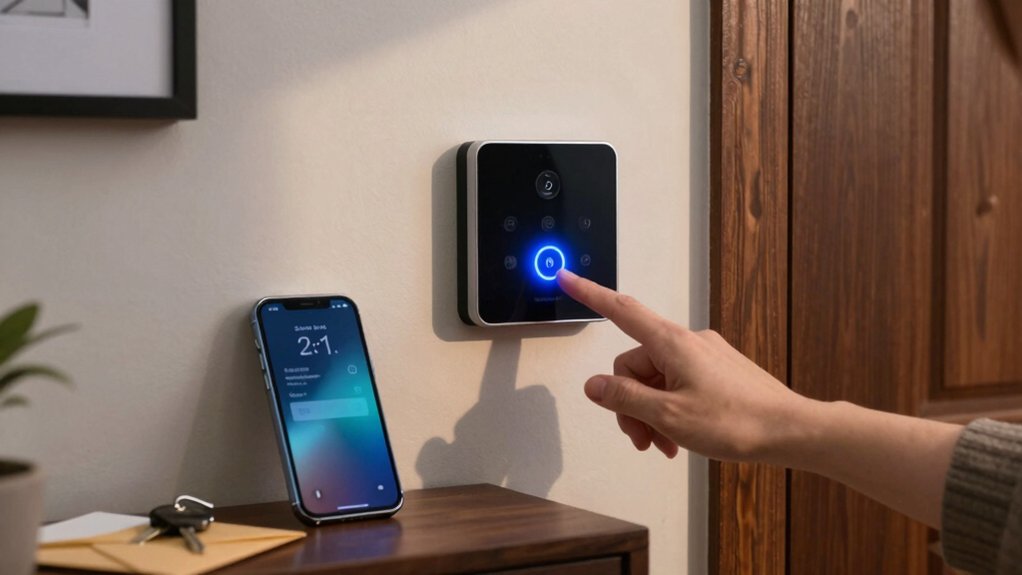
When your home alarm sounds, act fast: secure occupants, note exact time, location, and alarm type. Then verify the alert on the keypad and app and check sensors and cameras.
Contain the area by isolating zones and locking doors. If you suspect a false alarm, run quick troubleshooting: check delays, batteries, and sensor alignment. Otherwise, contact your monitoring service or 911.
Preserve footage and logs with timestamps and hashes. Document actions and follow a post-incident review to improve responses if you keep going.
Incident Response Checklist for Home Alarm Alerts: When your home alarm sounds, act fast: secure occupants , note exact time , location, and alarm type. Then verify the alert on the keypad and app and check sensors and cameras. Contain the area by isolating zones and locking doors.
Quick 5-Step Checklist for a Home Alarm Alert
Why act fast? You treat every home alarm alert as potentially serious: verify the alert level immediately and confirm with the monitoring center or on-site sensors before you act.
Step 1: Verify — check sensor status, keypad, and mobile app to confirm the trigger and rule out an irrelevant topic or random discussion that could distract you.
Step 2: Contain — discreetly isolate affected zones to limit exposure without escalating risk.
Step 3: Communicate — ensure monitoring service pathways report correctly and there’s no communication delay; notify designated contacts as needed.
Step 4: Document — record incident start time, triggered sensors, and any arming/disarming actions to preserve an audit trail.
Step 5: Recover — after resolution, restore normal monitoring, update contact points, and schedule a post-incident review.
Follow these steps with urgency and discipline to maintain security integrity and ensure clear, actionable records.
Secure Occupants: Note Time, Location, and Alarm Type
When an alarm sounds, immediately note the exact time, the precise location in the premises, and the alarm type so responders and investigators have a clear starting point. You’ll use time logging and location tagging to create an actionable record that supports fast, accurate responses. Follow these direct steps to secure occupants and relay essential details.
- Record the alert time and source: Log the exact timestamp, whether sensor, keypad, or video initiated the alert; note occupant status at that moment.
- Tag the precise location: Name the room, floor, and any nearby landmarks (e.g., “north bedroom, east window”) so responders head to the relevant area without delay.
- Classify the alarm type: State monitored, smart, dialer, or sound-only to set expectations for verification and notification procedures.
Keep entries brief, factual, and sequential. This disciplined approach minimizes confusion, prioritizes occupant safety, and gives investigators a reliable starting timeline.
Verify the Home Alarm: Keypad, App, and Sensors
How do you quickly confirm an alarm’s validity? Check the keypad first: verify arming status, confirm the displayed zone, and note any exit/entry delay shown.
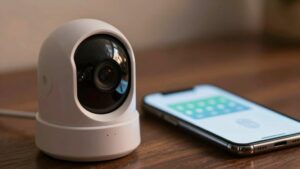
Use the mobile app next to view real-time alerts and sensor diagnostics; match the app’s triggered zone to the keypad readout. Listen briefly to ensure the siren or alarm tone aligns with the event type.
Follow verification procedures to confirm monitored-service actions: check whether the monitoring center reported a dispatch or notification to authorities. Inspect recent sensor activity logs for context. Identify door/window contacts, motion events, or environmental triggers that preceded the alarm. Document exact time stamps, sensor names, zone numbers, and observed conditions directly into your incident notes.
If multiple indicators match (keypad, app, logs, and monitoring dispatch), treat the alarm as verified and proceed with your response. Keep records concise and factual to support post-incident review and any required follow-up.
If You Suspect a False Alarm: Quick Troubleshooting Steps
Suspect a false alarm? Act fast to avoid fines and disruption: false alarms account for at least 98 percent of triggers. Use these troubleshooting tips to resolve it quickly.
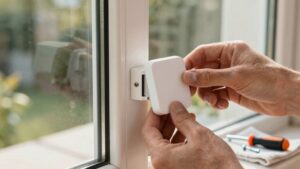
- Check entry points and sensors: Walk doors, windows, and sensor locations to ensure none are ajar, misaligned, or physically blocked. Verify tamper indicators aren’t set from loose wiring or mounting issues.
- Inspect system settings and power: Confirm entry/exit delays are correct and sensor sensitivity isn’t too high. Replace low batteries and look for wireless interference from nearby devices that can cause spurious signals.
- Confirm status with your panel/app and monitoring provider: Verify keypad/app shows the event cleared. If you can’t resolve it on-site, contact your monitoring provider to validate signaling paths and determine whether the event is a legitimate alert.
Follow these steps methodically. If a quick fix doesn’t clear the issue, don’t assume it’s safe; escalate to your provider for verification.
Contain the Threat: Isolate Zones and Secure the Home
If a false alarm check doesn’t clear the event or you confirm an intrusion, isolate affected areas immediately: arm perimeter sensors, lock entry points, and pause movement through doors that lead to restricted zones to limit intruder access and sensor confusion.
Use a clear isolation strategy: identify affected zones on the control panel, arm perimeter sensors around them, and disable nonessential internal sensors to reduce noise. Lock and reinforce doors and windows. Apply access control by limiting keys, codes, and smart-lock permissions for the duration.
Verify each zone’s status on the panel: confirm no alarms are transmitting, no sensors are bypassed, and power is stable. Document every change: time, zone, action taken, and sensor condition to support post-incident review.
Tell household members which zones are restricted, the reason, and expected isolation duration. Instruct them to avoid those routes. Maintain monitoring of tamper-resistant zones until normal operations resume.
When to Call Monitoring or 911 (Monitored vs. Unmonitored)
When should you call for help: Let your system type and verification signals guide the decision. Know your monitored vs unmonitored differences and act accordingly. If you have a monitored service, the monitoring center will usually verify and notify authorities; you should follow their instructions and only call 911 if you have direct, urgent information they lack. If you’re unmonitored, you must assess verification cues and call 911 yourself when you confirm a real emergency.
- Monitored: Wait for the center’s verification call or follow their immediate dispatch if they confirm a threat.
- Unmonitored: Use sensor alerts, sounds, or eyewitness confirmation to decide. Call 911 immediately for confirmed intrusion or danger.
- Any system: If verification tech (audio/video/offsite verification) confirms danger, don’t delay. Contact authorities or instruct your monitoring center to dispatch now.
Prioritize verified signals to reduce false alarms and get the fastest, appropriate response.
Check Home Alarm Cameras and System Logs for Evidence
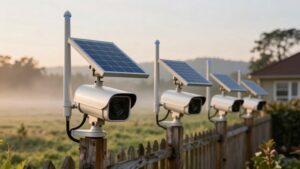
After you decide whether to call monitoring or 911, check your cameras and system logs immediately for corroborating evidence tied to the alert timestamp. Start by pulling recorded footage from all home alarm cameras that cover the triggered zone. Scroll to the exact timestamp and note camera activity, motion direction, and any identifiable subjects or vehicles.
Next, open system logs on the alarm panel and connected NVR/DVR to confirm sensor triggers, door/window events, and communication status at that precise time. Verify that offsite or app notifications reflect the same events to confirm a validated alert rather than a false positive. Check recent firmware or app updates that might explain unexpected camera activity or log anomalies.
Capture camera IDs, sensor names, and exact timestamps for each correlating event so you can hand off accurate information to responders or monitoring. Act quickly, record clearly, and avoid altering footage or logs during this phase.
Document, Preserve Evidence, and Run a Post-Incident Review
Because documenting and preserving evidence starts the moment the scene is secured, you should immediately record every action, capture immutable copies of relevant footage and logs, and note timestamps, device IDs, and who handled each item. Begin documenting steps in a single incident file, including who responded, which devices were checked, and all findings.
Preserve evidence by taking snapshots of volumes and screenshots of live feeds; label files with timestamps and hashes. If you suspect malicious activity, generate forensic artifacts, export logs, and enforce chain-of-custody when items leave your control.
- Create an incident record: responder names, timeline, actions taken, and file hashes.
- Capture and store immutable evidence: camera footage, system logs, disk snapshots, and screenshots.
- Run a post-incident review: analyze root cause, list gaps, assign corrective actions, and update playbooks.
Communicate lessons learned to stakeholders. Update response plans and training, and close the loop once remediation and verification are complete.
Frequently Asked Questions
What Liability Do Homeowners Face After Accidental False Alarm Police Dispatch?
You’re generally liable for local fines or charges tied to false alarm liability if police respond to an accidental alarm. Repeated incidents raise penalties. Check your municipal ordinance and contact your insurer promptly: insurance coverage may not cover fines but can handle related damage or claims.
Document the event, file any required reports, and cooperate with responders. Fix system issues to avoid recurrence. Keep proof of repairs and communications for appeals or policy questions.
Can Alarm System Warranties Cover Sensor Replacements After an Incident?
Yes, sensor warranties can cover sensor replacements after an incident, but it depends on terms. Check your warranty for incident coverage clauses, exclusions for misuse or physical damage, and claim procedures.
Document the incident, keep records, and contact the manufacturer or installer promptly. You will likely need proof of purchase and photos.
If the warranty will not cover it, review homeowner insurance or service contracts for alternative repair or replacement options.
How Do Neighborhood Watch Groups Coordinate During a Home Alarm Event?
You coordinate by activating neighborhood coordination protocols: you confirm the alarm, route alerts, and assign roles. You’ll use alert routing tools (group chat, sirens, app alerts) to inform watchers and emergency services.
You will designate a safety lead, secure the scene perimeter, and log responses. You’ll avoid confrontation, relay verified updates, and direct responders to the exact address.
Afterward, you’ll debrief, update contact lists, and refine routing procedures for next time.
What Privacy Rules Apply to Sharing Recorded Camera Footage With Police?
You can share footage with police, but you’ve got to follow local laws and your camera’s privacy policies. They determine consent, third-party access, and mandated notifications.
Preserve chain of custody; log requests; limit disclosure to relevant clips. Follow data retention rules: don’t keep or hand over more footage than necessary and delete per policy or legal hold.
If unsure, consult an attorney before releasing recordings.
Are Smart Home Automations (Locks/Lights) Safe to Use During an Alarm Response?
Yes, you can use smart locks and lights during an alarm response, but you should proceed cautiously. Lock doors remotely, avoid opening for unknown responders, and flash lights to deter intruders.
Ensure smart locks and hubs have current firmware, strong passwords, and device backups so you can recover access if hardware fails. Test automations periodically and set fail-safe behaviors: manual override and battery backup to maintain security during incidents.
Conclusion
You’ve followed the checklist: secured people, verified the alarm, isolated zones, and checked cameras and logs. If the situation’s unclear or you detect intrusion, call monitoring or 911 immediately. If it’s a false alarm, run quick troubleshooting and reset the system.
Preserve evidence, note timelines, and document actions before restoring normal operations. Review the incident to fix gaps and update procedures so you’re better prepared next time.
Related reading: Creating Automations for Arming and Disarming Home Security — a closer look at this topic.