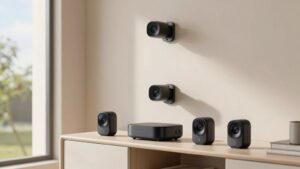
Indoor Security Camera Features to Consider
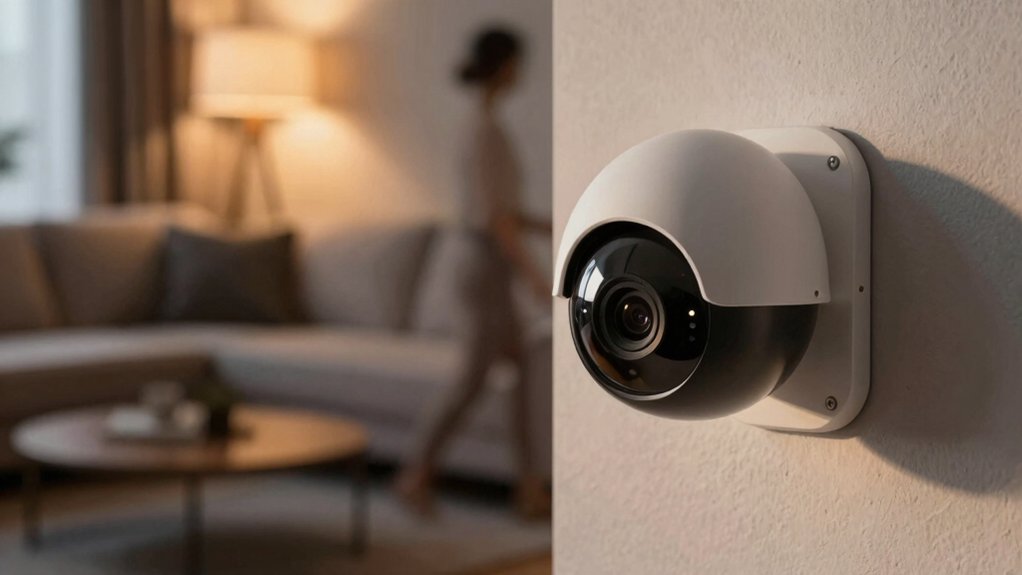
You’ll want a camera that gives sharp footage, reliable person detection, flexible storage, and an easy app so you can verify events fast without overpaying.
Pick 1080p for general use; 2K/4K if you need clearer faces. Watch field-of-view tradeoffs between coverage and pixel detail. Prefer adjustable motion zones, AI person alerts, two-way talk, and encrypted streams.
Decide between local, cloud, or hybrid storage based on cost and access. Keep going to get specific setup and feature tips.
Indoor Security Camera Features to Consider: You’ll want a camera that gives sharp footage, reliable person detection, flexible storage, and an easy app so you can verify events fast without overpaying. Pick 1080p for general use; 2K/4K if you need clearer faces. Watch field-of-view tradeoffs between coverage and pixel detail.
Quick Overview
- Choose resolution (1080p, 2K, 4K), balancing detail for identification against increased bandwidth and storage needs.
- Prefer cameras with AI person detection, adjustable motion zones, and real-time alerts to reduce false positives.
- Pick storage strategy (local microSD/NAS, cloud subscription, or hybrid) based on cost, remote access, and retained quality.
- Verify night-vision performance, IR range, and WDR for clear low-light and high-contrast scenes.
- Ensure ecosystem fit: reliable app, two-way talk, encryption, and hub/voice integration for centralized control and privacy.
What You’ll Learn
Wondering which features actually matter for an indoor camera? You’ll get a concise rundown of the essentials so you can compare models quickly. I’ll show you why at least 1080p matters and when paying more for 2K/4K makes sense. I’ll tie that into pricing trends so you can spot value versus premium upgrades.
You’ll learn how field of view and pan/tilt reduce blind spots. You’ll also learn when night vision with adjustable infrared and person-aware motion detection prevents false alerts and saves storage. I’ll explain storage trade-offs: microSD, cloud subscriptions, and hybrid setups. This will help you balance cost, access, and retention.
You’ll also see why two-way audio, strong privacy controls (encryption, motion zones, lens covers), and smart-home integration matter for daily use. Finally, I’ll note practical mounting considerations and ease of mounting tips so installation isn’t a headache.
Quick Checklist: How to Pick an Indoor Security Camera
Which features should you prioritize when shopping for an indoor camera? Start with core capabilities: reliable night vision (IR LEDs) and motion detection with adjustable sensitivity so you get 24/7 monitoring without constant false alerts.
Balance resolution and field of view against cost. 1080p is common; wider lenses (120–180°) cover more area, but higher-res 2K/4K raises price. Choose two-way audio for interaction and customizable alerts with smart zones to focus only on important areas.
Decide storage: cloud, local microSD, or a hybrid plan that fits your budget and review habits. Test the app for intuitive live view, easy motion-zone setup, and prompt push notifications. Verify ecosystem compatibility (Google Home, Alexa, Vivint) if you want voice control or automation.
Finally, prioritize privacy features—encrypted data, selective motion zones, and physical lens covers. Select a discreet design with suitable mounting and alignment to blend into your living space.
Resolution & Image Quality: 1080P Vs 2k/4k
How much resolution do you really need in an indoor camera? You’ll balance clarity and cost: 1080p is common and sufficient for general monitoring, while 2K or 4K gives finer detail for identifying faces and small objects. Consider resolution vs bandwidth; higher pixels demand more network throughput and storage.
If you need close-up detail, 2K or cameras like Nest with zoom/crop help you read faces or small labels without moving the camera. If you rely on cloud clips, check whether the provider downscales to 1080p. Local microSD or HomeBase storage can preserve full 2K quality.
Remember storage and subscription trade-offs: 4K multiplies file sizes, raising local storage needs and cloud costs. Also factor display scaling considerations: viewing 4K on a small phone won’t show vastly more detail. Match resolution to your typical viewing device and recording retention plan.
Field of View & Coverage: Choosing the Right Lens
Where should you point an indoor camera to get the coverage you need without losing detail? Start by matching field of view (typically 120–180°) to room size: wider FOVs cover larger areas but spread pixels; so you’ll need 2K or better to preserve identification across the scene.
Place the camera to minimize obstructions, glare and reflections from windows. Keep it near power and Wi‑Fi sources for reliable operation. Consider PTZ if you want panoramic monitoring or 360° rotation; however, note PTZs can trade fixed wide‑angle clarity and may introduce stitching issues.
Watch for panoramic distortion and fisheye artifacts with ultra‑wide lenses. Use software dewarping or choose a lens with less extreme angle if accurate proportions matter. If storage or cloud settings drop resolution to 1080p, expect reduced detail at wide angles.
Balance FOV, resolution and placement to reduce blind spots while keeping enough pixels on critical zones for identification.
Night Vision for Indoor Cameras: IR and Low-Light Tips
Good placement and the right lens give you coverage by day, but you’ll still need reliable night performance to keep those critical areas identifiable after lights go down. You’ll rely on night vision: usually IR LEDs producing black-and-white footage to monitor continuously. Pick cameras with enhanced IR night vision and wide dynamic range so faces and contrast stay readable as illumination shifts. Manufacturers often test clarity at about 30 feet; use that as a baseline for room-size needs.
Check sensor quality and LED count: more and better sensors mean clearer low-light images and sometimes color night vision. Balance IR range with placement; avoid reflective surfaces that cause bloom. Point IR away from windows or glossy objects.
Use indoor illumination strategically: low, indirect lighting preserves detail without triggering IR overexposure. Also, pair night vision settings with adjustable motion sensitivity to reduce false alerts at night. These infrared tips will help you choose cameras that keep indoor spaces identifiable after dark.
Motion & Person Detection: Cutting False Alarms
Often you’ll find that motion detection is the first line of defense against unwanted alerts; but tuning it correctly is what keeps your inbox quiet. You should set sensitivity to ignore small movements like curtains or HVAC swirls, and enable person detection so the system flags humans rather than pets or falling objects.
Advanced cameras separate people, pets, and other motion types, cutting false alarms and unnecessary recordings. If coverage matters, pick wide-view or PTZ models to reduce blind spots that trigger repeats.
Know whether your system records locally or to the cloud: many cameras only save high-resolution clips when motion triggers recording. So, configure zones and schedules to focus detail where it matters.
Consider a subscription if you need sharper analytics; features labeled Gemini/Home AI or similar improve human-recognition accuracy. Finally, test settings over several days, review flagged clips, and tweak zones and sensitivity until you get reliable alerts and fewer false alarms.
Audio & Two-Way Talk: Practical Uses
Audio and two-way talk turn a passive camera into an interactive tool you can use to check in, give commands, or de-escalate situations in real time. You’ll speak through the camera’s speaker and hear responses via its microphone; therefore, mic integration and app responsiveness matter for low latency. Ambient sound detection adds context beyond motion, and some models include pet commands or audio-triggered clips (for example, Eufy C120’s Pet Command) to simplify routine interactions.
Use two-way talk to comfort pets, warn off intruders, or instruct visitors without opening the door. Rely on ambient sound alerts to know when sounds need your attention even if video is unclear. Control listening with privacy budgeting tools: mute the mic, limit mic access, or set selective zones to avoid constant monitoring.
Test your network and app to ensure prompt responses. Confirm the camera’s privacy controls meet your expectations before relying on two-way audio daily.
Storage Options: Local, Cloud, and Hybrid Trade-Offs
Where do your clips live, and what trade-offs are you willing to accept? You’ll choose between local storage, cloud storage, or a hybrid; balancing cost, quality, and access is essential. Local options like microSD or HomeBase preserve 2K detail without subscriptions; they suit privacy-minded users. Cloud plans (Tapo Care, Nest) give remote access and longer clips, but they often require monthly fees and may downsample to 1080p.
Hybrid setups store full-resolution locally while syncing key events to cloud or HSV for off-site backup. Eufy’s modes and NAS integrations illustrate this.
| Option | Pros / Cons |
|---|---|
| Local (microSD, HomeBase) | Zero fees, 2K preserved, limited off-site access |
| Cloud (Tapo Care, Nest) | Remote access, longer clips, subscription fees |
| NAS/HSV | Flexible backup, possible quality reduction |
| Hybrid | Best of both, more complex setup |
Decide by weighing ongoing cost versus image fidelity and how quickly you need remote retrieval.
App Experience, Privacy, and Ecosystem Fit (Vivint, Google, Alexa)
How well does your camera app fit into the rest of your smart home? You want an app that’s reliable, fast, and plays nicely with Google Assistant or Alexa while keeping privacy concerns front and center. Vivint’s app gives cohesive control through the Smart Hub: live view, two-way talk, custom motion zones, AI person detection, and real-time alerts reduce false positives and simplify daily use.
Think about these practical points:
- Ecosystem fit: voice control, cross-platform automation, and centralized settings make routines and integrations straightforward.
- Privacy and data handling: encrypted streams, optional professional installation, lens covers, and selective motion zones help limit exposure and address regulatory or personal worries.
- Usability: clear alerts, adjustable sensitivity, and two-way video talk let you respond quickly without diving into complex menus.
Choose a system where app performance, integration, and transparent data handling match how you’ll actually use the camera every day.
Frequently Asked Questions
Can Indoor Cameras Integrate With Alarm Systems or Professional Monitoring?
Yes, you can integrate indoor cameras with alarm systems and professional monitoring. You’ll check indoor integration options like wired or wireless connections; compatible hubs; and supported protocols (Zigbee, Z-Wave, Wi‑Fi).
Confirm monitoring compatibility with your provider’s app, cloud plans, and event-trigger rules. You’ll also verify two-way audio, encrypted feeds, and backup power. Proper setup ensures alerts, recorded clips, and police dispatch through your chosen monitoring service.
How Do Warranties and Customer Support Compare Between Brands?
Warranties vary: You’ll see short limited warranties (one year) from budget brands and longer coverage (two to three years) from premium makers. Warranty comparisons should note what’s covered: parts, labor, and firmware.
Customer support differs too: Some brands offer 24/7 phone/chat and expedited replacements; others rely on email tickets and slow turnaround. You should read fine print, check online reviews for real response times, and prefer vendors with clear RMA policies.
Are There Concerns About Wi‑Fi Interference or Bandwidth Use?
Yes, you should care about Wi-Fi interference and bandwidth usage. You’ll see dropped frames or noisy video if nearby networks or appliances clash with your camera’s channel.
Limit interference by using 5 GHz where possible, placing cameras near routers, and avoiding crowded channels. For bandwidth, pick lower bitrate or local recording; reduce resolution or frame rate; and enable motion-only uploads so your network and devices stay responsive.
Can Cameras Be Powered by Batteries Instead of Wired Power?
Yes, you can use battery powered cameras. You’ll enjoy flexible placement and no wiring hassles, but you’ll need to manage battery life and charging.
Choose models with strong battery capacity, power-saving modes, efficient codecs, and wireless efficiency to reduce data use and prolong runtime. Consider motion-triggered recording, adjustable sensitivity, and solar or quick-swap battery options to keep continuous coverage without frequent maintenance or unexpected downtime.
Do Indoor Cameras Comply With Local Recording and Consent Laws?
Yes, indoor cameras can comply, but you’ll need to follow recording legality and local laws. You should check consent requirements for anyone recorded and post clear notices where required.
Protect indoor privacy by limiting fields of view and using privacy zones. Secure remote access and encrypted data storage to meet expectations and legal standards. Document your practices so you can demonstrate compliance if authorities or tenants ask.
Conclusion
You’ve got the essentials to pick an indoor camera that actually works for your home: match resolution and field of view to the room size. Prioritize reliable night vision and use person detection to cut false alerts. Decide whether local, cloud, or hybrid storage fits your privacy needs and budget. Check app quality plus ecosystem compatibility (Vivint, Google, Alexa).
Focus on practical trade-offs so your camera delivers useful, secure monitoring without fuss.
Related reading: Mini Indoor Security Cameras for — a closer look at this topic.