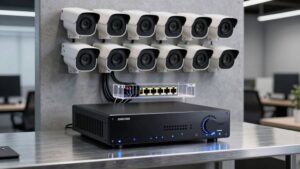
Poe Security Cameras and Poe Switches Explained
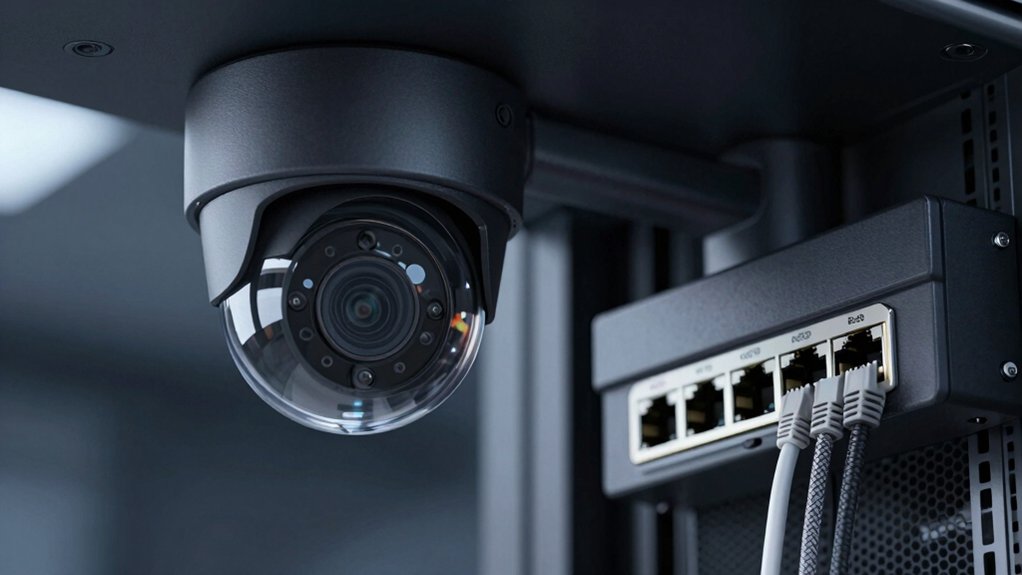
Poe Security Cameras get power and network data over the same CAT5e/CAT6 cable, so you can mount devices without separate power runs. Choose between single-port injectors for a few cameras or PoE switches for centralized power, management, and scalability.
Match camera draw to 802.3af/at/bt port limits; budget in 20–30% overhead; and plan cabling for 100 m standard reach (extenders beyond). Continue for guidance on topology, sizing, and troubleshooting.
Poe Security Cameras and Poe Switches Explained: PoE security cameras get power and network data over the same CAT5e/CAT6 cable, so you can mount devices without separate power runs. Choose between single-port injectors for a few cameras or PoE switches for centralized power, management, and scalability. Match camera draw to 802.3af/at/bt port limits; budget in 20–30% overhead; and plan cabling for 100 m standard reach (extenders beyond).
Quick Overview
- PoE supplies power and data over CAT5e/CAT6 to IP cameras using IEEE standards (802.3af/at/bt) for safe negotiation and delivery.
- Use PoE injectors for single cameras or small installs; choose PoE switches for centralized management, scalability, and power budgeting.
- Size power by summing camera draws, allowing 20–30% reserve. Verify per-port and total switch wattage to avoid overload.
- Plan bandwidth and storage by camera resolution and bitrate. Use lower resolutions for peripheral zones to save capacity.
- Stay within ~100 m for standard PoE. Use extenders or extended-mode systems for longer runs and test cabling quality.
Who This Guide Is For : Quick Decision Checklist
Who needs this guide and what will it help you decide? You are a technician, installer, or IT manager who needs a rapid decision checklist for Poe Camera deployments. You will assess whether PoE injectors or PoE switches fit the site, match per-port power (802.3af 15.4 W, 802.3at 30 W, 802.3bt up to 90 W), and determine switch port counts and total power budget.
You will prioritize bandwidth per camera, cable-run length, and extender options for distances beyond 100 m. Use this to choose unmanaged switches for simple installs or managed switches when VLANs, QoS, and monitoring matter. Avoid two-word discussion ideas or unrelated topics during planning; focus strictly on compatibility and deployment constraints.
Verify camera power draw against switch capabilities. Account for peak power margins, and plan PoE distribution to prevent overload. This checklist reduces cabling and electrical work by exploiting single-cable power-plus-data delivery while ensuring reliable, scalable surveillance.
What Is a PoE Security Camera and How PoE Works
Now that you’ve got a checklist for matching cameras to PoE injectors or switches, let’s define what a PoE security camera is and how the power-and-data delivery works. A PoE security camera is an IP camera that encodes video internally and sends it over Ethernet; the same CAT5e/CAT6 cable also supplies DC power via Power over Ethernet. That eliminates separate power runs and lets you place cameras away from outlets.
PoE basics: power is injected into specified cable pairs following IEEE PoE standards. This process is negotiated between source equipment (PoE switch or injector) and the powered device (camera) to prevent overload. Key system components are the PoE cameras, an NVR that records streams, Ethernet cabling, and optional external PoE switches for extended port counts.
Cable topology affects run length and performance. Use proper wiring practices and quality cable to maintain data integrity and power delivery. A monitoring solution connects to the NVR for live or remote viewing.
Plug‑and‑Play NVRs vs Networked PoE Switch Setups
Wondering whether to use a plug-and-play NVR or a separate PoE switch? You will favor NVR-based PoE for small installs: built-in PoE ports let cameras plug directly into the NVR, provide power and data in one step, and typically auto-assign IPs for fast setup.
For larger or evolving systems, a networked PoE switch gives scalability, daisy-chaining, centralized management, and flexible reconfiguration without re-wiring the NVR. Mixed environments use PoE injectors or midspans to bridge non-PoE links into a centralized PoE network. Do not confuse this with an unrelated topic or treat it as an unrelated concept; the choice impacts topology, addressing, and maintenance.
| Scenario | Benefit |
|---|---|
| Small standalone | Simple setup, auto IP |
| Medium expandable | Add switches, more ports |
| Large distributed | Centralized management |
| Mixed devices | Use injectors/midspans |
| Reconfiguration | No NVR rewiring needed |
PoE Switch vs Injector: When to Use Each
When do you pick a PoE switch versus an injector? You choose based on scale, management needs, and existing infrastructure. Use an injector to add PoE to a single non-PoE link or a couple of cameras without replacing your switch; it’s simple, low cost, and ideal for point upgrades. Injector contrast with switches is literal here.
Use a PoE switch when you need centralized power and data consolidation, daisy-chaining via uplinks, port management, and predictable switch scalability across 4–48 ports. Confirm IEEE compatibility: 802.3af, 802.3at, or 802.3bt; this ensures camera power requirements match the device. Evaluate per-port power limits (PoE ≈15W, PoE+ ≈30W, higher for 802.3bt) against camera consumption. PTZs often demand higher per-port wattage.
For few devices or quick retrofits, pick injectors. For multi-camera deployments, centralized monitoring, and future growth, pick PoE switches to simplify wiring, management, and power budgeting.
Sizing PoE: Power, Bandwidth, and Cable Runs
After you decide between injectors and switches, you’ll need to size PoE for power, bandwidth, and cable runs to make the system reliable and scalable. You’ll perform power budgeting using per-port standards (802.3af 15.4 W, 802.3at 30 W, 802.3bt 90 W) and expected device draw (typical cameras 5–6 W; PTZ 15–30 W).
Sum worst-case loads plus reserve (20–30%) to select a switch with sufficient total wattage and per-port capability. Plan bandwidth by multiplying expected camera bitrates (8 Mbps+ common) by camera count; ensure uplinks and switch backplane handle aggregate traffic.
Observe cabling limits: standard Ethernet ~300 ft; extended mode ≈800 ft at 10 Mbps. Use PoE extenders to daisy-chain ~300 ft segments (extender output ≈15.4 W). Balance power, data speed, and distance; choose higher-class PoE for future scalability and avoid overloading links.
| Parameter | Typical value | Design action |
|---|---|---|
| Port power | 15.4–90 W | Size per device |
| Cable reach | 300 ft (std) | Use extenders/extended mode |
| Bitrate | 8 Mbps+ | Provision uplink/backplane |
Choose PoE Cameras: Resolution, Night Vision, and PTZ Trade‑Offs
How far do you need to see, and how much detail do you need to retain? You’ll choose resolution based on distance and identification needs: 8MP (4K) resolves faces at 50–70 ft; 2MP (1080p) gives less detail at that range.
Consider camera tradeoffs. Cost, bandwidth, and storage grow with resolution and PTZ capability. Night vision choices matter: IR yields B/W images; Starlight preserves color in low light but reverts to B/W as illumination drops.
- Resolution allocation — prioritize 8MP for entrances/critical zones. Use 2MP or 3MP for peripheral areas to reduce storage and bandwidth.
- Night vision selection — pick IR for cost-sensitive sites. Choose Starlight where color at low light aids identification.
- PTZ and PoE budget — PTZ adds remote framing and zoom but increases power draw and bandwidth. Plan PoE switch capacity and storage accordingly.
Make explicit trade decisions: detail versus bandwidth, night vision mode, and PTZ flexibility.
PoE Installation Pitfalls and Troubleshooting
Ever wondered why a perfectly spec’d camera goes dark after installation? You’ll first check power sourcing: underpowered ports or wrong PoE class leave PTZs and high-draw models offline. Follow distribution guidelines; allocate per-port budgets and total switch budget before daisy-chaining extenders. Observe distance limits: ~300 ft for full speed. Extend mode to ~800 ft at 10 Mbps only.
| Pitfall | Symptom | Quick check |
|---|---|---|
| Underpowered port | Camera boots then shuts | Verify 802.3at/ bt rating |
| Excess distance | Poor link or no video | Measure cable length |
| Mixed standards | No power/data | Confirm device class |
| Power budget exceeded | Multiple drops | Check total switch budget |
Troubleshoot methodically: inspect PoE LEDs, use Cat5e/Cat6, swap with a known-good camera, and confirm firmware compatibility on NVR/switch. Establish maintenance rituals: periodic power-budget reviews and cable testing to prevent recurrence.
Cost & Scalability: PoE for Home, Business, and Industrial Sites
Having walked through common installation pitfalls, you’ll next weigh cost and scalability to choose the right PoE approach for your site. PoE cuts cabling and electrical work by delivering power and data over one Ethernet run, lowering TCO for home scale and enterprise deployments. Choose 802.3af/at/bt based on camera draw: 15.4 W, 30 W, and up to 90 W per port respectively to support bullets through PTZs.
Use switches for consolidated feeds and management; use injectors to add PoE incrementally without replacing switch infrastructure. For runs beyond ~100 m, plan extenders or extended-mode systems.
- Estimate power budget: total camera wattage + switch overhead; pick 802.3 standard and switch capacity.
- Plan topology: PoE switches for dense deployments; injectors for phased rollouts; extenders for distance.
- Site class: On home scale, favor low-cost injectors or small PoE switches. On industrial scale, deploy managed PoE switches with centralized power and redundancy.
Frequently Asked Questions
Can Poe Cameras Operate Over Wi‑Fi With Poe Power via Adapters?
Yes, you can run a PoE camera on Wi-Fi using adapters that supply PoE power while the camera uses wireless for data. However, expect Wi-Fi limitations: higher latency, interference, and reduced bandwidth versus wired Ethernet.
Use a powered PoE injector or PoE passthrough adapter that supplies stable 48V and isolates power from the wireless bridge. Test signal strength, encryption, and power budget. Some cameras do not support split power/data and may need specific adapters.
Are Poe Cameras Compatible With Cloud Video Storage Subscriptions?
Yes, you can use PoE cameras with cloud storage subscriptions. You’ll stream or upload encrypted video from the camera or NVR to a cloud service; the provider handles video retention policies, indexing, and access controls.
Ensure the camera’s firmware or NVR supports your chosen cloud API/RTSP/ONVIF integration. Confirm bandwidth and retention limits, and verify encryption, authentication, and legal/compliance requirements before committing to a subscription.
What Environmental Ratings (Ip/Ik) Matter for Outdoor Poe Cameras?
You should prioritize IP and IK ratings for outdoor durability: IP65–IP68 indicate dust/water protection (IP66/IP67 common; IP68 for submersion). IK07–IK10 measure impact resistance against vandalism.
For harsh environments, pick at least IP66 and IK08. Coastal or submerged sites need IP67–IP68 and corrosion-resistant housings. Also, check operating temperature, humidity and UV resistance specs to ensure long-term performance in your specific installation conditions.
How Do Firmware Updates and Cybersecurity Get Handled for Poe Cameras?
You’ll handle firmware updates and cybersecurity practices by automating secure update delivery, signing firmware, and using encrypted channels during device provisioning. With power over Ethernet devices, you’ll segment networks, enforce strong authentication, and apply least-privilege access.
You’ll schedule verified updates and roll them back if needed. You’ll monitor integrity with logs and alerting. Regular vulnerability scans, timely patches, and an incident response plan keep devices resilient and maintain operational continuity.
Can Poe Switches Power Non‑Poe Devices Safely With Splitters?
Yes, you can power non-PoE devices with PoE switches using passive or active splitters. However, you’ll need to verify universal compatibility and power safety. You’ll choose a splitter matching voltage/current and connector type.
Ensure the switch supports the required PoE standard (802.3af/at/bt) and confirm the device tolerates injected power. Test under load, monitor temps, and use overload/short-circuit protection to prevent damage and ensure reliable operation.
Conclusion
You now know how PoE cameras deliver power and data over one cable. The tradeoffs between plug-and-play NVRs and networked PoE switch architectures are important to consider. Additionally, know when to pick switches versus injectors.
Size power and bandwidth for camera count, resolution, and cable length. Choose features such as night vision, WDR, and PTZ based on operational needs. Avoid common installation pitfalls; conduct test runs and plan scalability.
Apply these rules to cost-effectively secure homes, businesses, or industrial sites.
Related: Running Ethernet Cable