Micro Sd Card Capacity and Speed for Security Cameras Explained
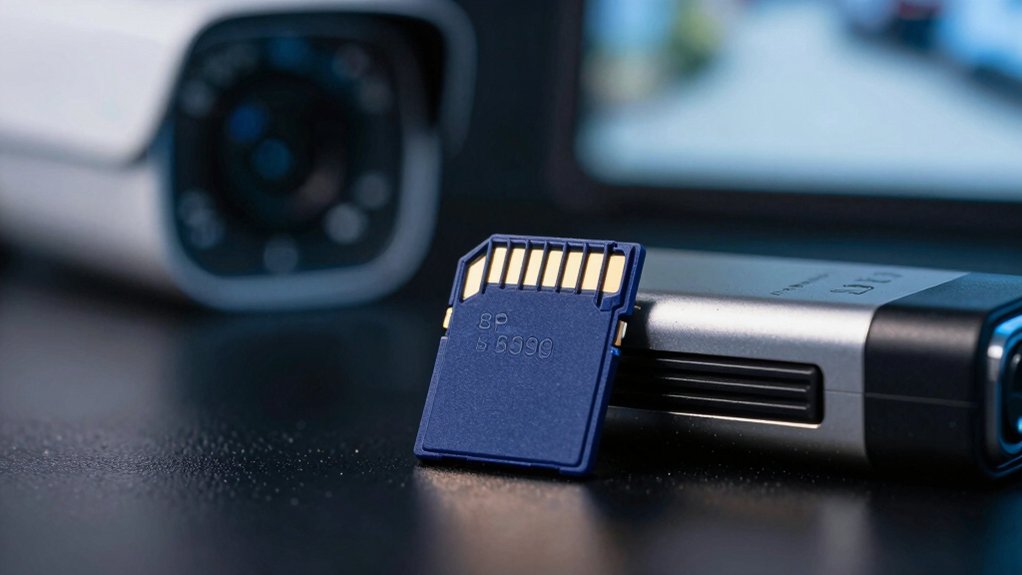
You need an endurance-rated microSD that matches your camera’s resolution, frame rate, and recording mode. Use Class 10/UHS-I (V10) minimum for 1080p; pick V30/U3 for 4K or multi-stream. Size depends on retention: 4MP at 15 fps ≈ 64 GB/day, so 128–512 GB is typical.
Choose purpose-built endurance cards (Samsung Pro Endurance, SanDisk High Endurance, WD QD101). Replace every 2–3 years, and follow in-camera formatting. More details follow.
Micro Sd Card Capacity and Speed for Security Cameras Explained: You need an endurance-rated microSD that matches your camera’s resolution, frame rate, and recording mode. Use Class 10/UHS-I (V10) minimum for 1080p; pick V30/U3 for 4K or multi-stream . Size depends on retention: 4MP at 15 fps ≈ 64 GB/day, so 128–512 GB is typical.
Quick Overview
- Use endurance-rated cards (e.g., Samsung Pro Endurance, SanDisk High Endurance) for continuous camera writes to avoid dropouts and premature failure.
- Choose capacity to meet retention goals: 4MP at 15 fps uses roughly 64 GB per day. Therefore, pick 128–512 GB for several days’ storage.
- Match speed class to video quality: V10/U1 for 1080p, V30/U3 for 4K or multiple high-bitrate streams.
- Verify camera’s maximum supported card size and UHS interface; many devices are limited to UHS-I and specific capacities.
- Maintain cards: format in-camera, monitor TBW/endurance, back up footage, and replace every 2–3 years or before end-of-life.
Quick MicroSD Picks for Security Cameras
Looking for a no-fuss microSD for your camera? You’ll want endurance-tested, purpose-built cards rated for continuous writes and high rewrite cycles. Pick endurance models: Samsung Pro Endurance, SanDisk High Endurance, or WD QD101; they resist wear that causes dropouts during long recording and after repeated camera mounting cycles.
For capacity, match retention needs. A 4MP camera at 15 fps uses roughly 64 GB/day, so choose 128–512 GB depending on how many days you store locally. For speed, 1080p continuous demands U1/V10 (≈10 MB/s write); if you run 4K or burst-heavy profiles, step up to U3/V30.
Don’t use generic consumer cards that fail endurance testing; they’ll degrade and produce playback gaps. Install cards in accessible mounts so you can replace or swap before end-of-life. In short: endurance card, suitable capacity for retention, and the right speed class for your resolution profile.
Which Speed Class Do Security Cameras Need?
Which speed class does your security camera actually need? You’ll typically want Class 10 / UHS-I / V10 as the baseline: it guarantees sufficient sustained writes for common 1080p streams and simplifies capacity planning. For higher-resolution or bursty workflows, such as 4K, multi-stream, or high-burst events, choose V30 (U3) or higher so minimum sustained write rates meet the encoder’s demand.
Keep decisions hardware-focused and test-driven:
- U1/V10 = 10 MB/s minimum; good for single 1080p streams and routine durability testing.
- U3/V30 = 30 MB/s minimum; required for reliable 4K or heavy multi-stream recording.
- UHS interface matters: UHS-I (≤104 MB/s) is common; UHS-II offers more, but many cameras cap at lower rates.
- Prefer endurance-rated cards (e.g., Pro Endurance) for continuous overwrite cycles and predictable longevity.
Match speed class to camera specs, not marketing. Higher-rated cards help only when the camera and codec actually need the sustained write bandwidth.
How Much MicroSD Capacity Do Security Cameras Need?
After you match the speed class to your camera, pick capacity based on resolution, frame rate, and retention needs: A 4MP camera at 15 fps can generate roughly 64 GB of footage per day. Therefore, a 128–512 GB card is a common choice to provide several days of retention before overwrite. You’ll apply storage budgeting: Account for motion vs continuous recording, resolution, and any scheduled retention. Check your camera manual for maximum supported card size; Some models cap capacity.
| Resolution | Approx daily GB | Recommended card |
|---|---|---|
| 4MP @15fps | 64 GB | 128–512 GB |
| 4K | 64–128 GB | 256–1TB |
| Low res | 10–30 GB | 32–128 GB |
For redundancy, consider multiple cards or staggered swaps to reduce data loss risk. Use two word topic ideas like “capacity planning” and “retention policy” when documenting storage budgeting for each camera.
How Long Will a MicroSD Last? (Endurance, Write Cycles, TBW)
How long will a microSD last in a security camera? You’ll see wide variation: consumer cards under constant write loads often fail in about 12 to 18 months, while endurance-focused models run for years. Focus on endurance comparison and TBW significance when choosing.
Consumer-grade cards are cheap and have lower TBW; they are likely to last 12 to 18 months under heavy overwrite. Endurance cards are engineered for thousands of write cycles; they are designed to survive continuous recording without early corruption.
TBW significance is important: higher TBW ratings correlate with longer usable life in continuous-record scenarios. Choose cards with clear TBW specs.
Manufacturer claims are notable; for example, Samsung Pro Endurance advertises up to 16 years for the 256GB model under typical camera workloads.
You should avoid budget consumer cards for critical installations. Upgrade to high-endurance media and prefer explicit TBW or endurance ratings. This minimizes replacement frequency, reduces data loss risk, and keeps your camera system reliable.
How to Check Your Camera’s MicroSD Limits and Features
Want to know what card your camera can actually use? Check the manual or manufacturer site for maximum microSD size (32GB/128GB/512GB) and whether it expects SDHC or SDXC formatting. Verify minimum sustained write speed: Class 10/U1 for 1080p; U3 or V30+ for 4K/high bitrate. Note that A1/A2 app-performance marks are an irrelevant topic for most cameras. Confirm support for high-endurance cards if you need continuous writes.
| Limit Type | What to Check | Why it Matters |
|---|---|---|
| Capacity | Max GB and SDHC/SDXC | Prevents unsupported cards |
| Speed | Min class/U/V rating | Ensures frame integrity |
| Card Type | microSD vs full-size | Physical/interface fit |
| Features | Motion vs continuous | Affects capacity/endurance needs |
Also confirm camera-specific features such as motion activation and continuous recording. Determine whether the firmware treats card types differently. Do not confuse storage limits with camera lens compatibility; they are separate concerns.
Best Endurance MicroSD Cards and Practical Maintenance Tips
Curious which microSD cards actually survive constant camera writes? You’ll want proven endurance models: Samsung Pro Endurance and SanDisk High Endurance are built for thousands of write cycles and predictable lifespans. Don’t fall for endurance myths that claim infinite durability.
Replace cards every 2–3 years to avoid wear-related performance drops and corrupted footage. Format the card in-camera before first use to ensure correct file system and reliable recording. Back up critical footage regularly to external storage or cloud; endurance cards trade capacity cycling for sustained writes. Buy from reputable retailers and verify authenticity to avoid counterfeit failures and weak write endurance.
For long term maintenance, keep firmware current. Monitor recording logs for write errors and schedule card swaps as part of routine checks. You’ll extend reliable recording by combining robust endurance cards with disciplined backup and replacement practices.
Frequently Asked Questions
Can I Use an Adapter to Convert microSD to Standard SD for My Camera?
Yes, you can use an adapter to convert a microSD to a standard SD for your camera. You’ll want a high-quality adapter; cheap ones can cause read/write errors.
Check adapters and compatibility with your camera’s supported memory card formats and speed class. Ensure the microSD’s capacity and sustained write speed meet camera requirements, especially for continuous recording.
Test recordings after installing to confirm reliable performance.
Are There Legal/Privacy Concerns for Storing Recorded Footage on microSD?
Yes, you need to consider legal and privacy concerns when storing footage on microSD. You’ll face obligations around data ownership, access controls, and retention periods. Local laws may require consent for recording in private spaces.
Secure the card, encrypt files if the device supports it, and limit physical and network access. Maintain logs and purge recordings per policy to reduce liability and prove proper handling of captured video.
No, multiple cameras usually can’t share the same Micro SD directly; each camera expects local storage. You can set up shared storage using a network video recorder or NAS that aggregates Micro SD usage via a gateway. Alternatively, you can use cameras that support shared storage protocols.
Two word discussion ideas: “network bridge”, “storage pooling”. Focus on hardware compatibility, bus limits, write endurance, and ensuring proper file system and throughput for reliable shared storage.
How Do Weatherproofing and Temperature Affect microSD Performance?
You’ll see reduced reliability when weather impact is severe. Moisture and dust can corrode contacts and cause read/write errors. Choose cards with appropriate temperature tolerance for your camera’s climate: industrial-grade cards tolerate wider ranges and sustain throughput in extreme heat or cold.
Always use sealed, weatherproof housings and thermal management to keep operating temperatures within the card’s spec. Regularly test and replace cards exposed to harsh environments to avoid data loss.
Can I Encrypt microSD Footage and Still Use Motion Detection Features?
Yes, you can encrypt footage and still keep motion detection compatibility, but it depends on the camera. You’ll want micro SD encryption supported by the camera firmware so camera motion sensing compatibility remains intact. Onboard encryption that encrypts after capture preserves real-time motion analysis.
Verify the device’s hardware AES support and processing headroom to avoid dropped frames. Configure keys and rotation securely to maintain performance and reliability.
Conclusion
You now know which microSD speed classes and capacities suit security cameras, and why endurance matters for constant writes. Choose a card rated for sustained video (V30 or higher, A1/A2 optional) and match capacity to your retention needs and frame rate.
Check your camera’s spec for max capacity and cyclic overwrite support; prefer cards labeled “endurance” or high TBW. Replace or reformat cards periodically to avoid failures and data loss.
Related: 256GB microSD Cards