Doorbell Chime Compatibility for Wired Video Doorbells
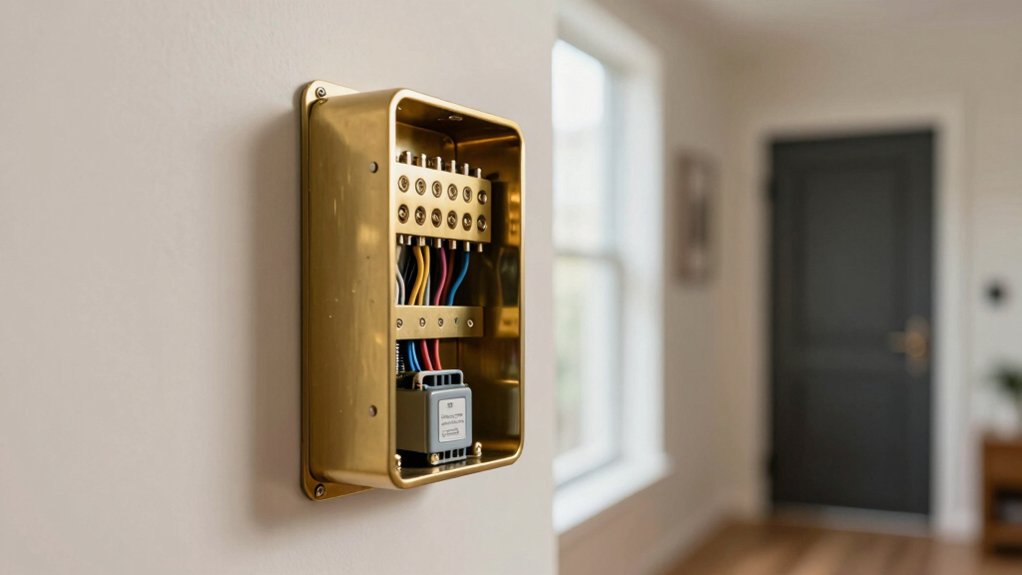
If you have a wired Video Doorbell, verify your chime type and transformer before wiring to avoid damage. Mechanical (hammer/bell) and most digital chimes work if the transformer supplies 8–24 VAC at 50–60 Hz and up to 40 VA.
Some models, such as certain SnapIt, EC-series, Aiphone digital, L‑series, and Broan‑NuTone, are incompatible; don’t direct-wire those. If unsure, power down, check the chime label, or use a Chime Kit Mini or wireless/outlet chime as a safe alternative. More specifics follow.
Doorbell Chime Compatibility for Wired Video Doorbells: If you have a wired video doorbell, verify your chime type and transformer before wiring to avoid damage. Mechanical (hammer/bell) and most digital chimes work if the transformer supplies 8–24 VAC at 50–60 Hz and up to 40 VA .
Will My Wired Doorbell Ring My Existing In‑Home Chime?
Wondering if your new wired video doorbell will trigger the chime inside your home? You’ll first assess chime compatibility and transformer basics. The Ring Wired Doorbell Plus (2nd Gen) and non-PoE Wired Doorbell Pro (3rd Gen) need a Chime Kit Mini to operate an internal chime; that kit or a compatible chime is required to avoid damage.
Check whether your existing chime is mechanical (ding-dong) or digital (electronic tones) and compare it to the manufacturer’s compatibility lists. Incompatible transformers or chime kits can harm the doorbell or chime, so confirm voltage and wiring before installing. If your chime model appears on an explicit incompatibility list (some Snapit, EC-series, L.O.Bell, Aiphone digital models), don’t attempt direct wiring.
If the chime isn’t listed, contact Customer Support for verification. If incompatibility remains, install a Chime Kit Mini when supported or use Ring outlet chimes as a safe alternative to preserve device integrity and function.
Mechanical vs Digital Chimes: Which Work and How
Now that you know whether your doorbell and transformer meet basic compatibility, check what kind of in‑home chime you have: mechanical or digital. They behave differently with wired video doorbells. Mechanical vs digital chimes use distinct drive methods: mechanical chimes produce ding‑dong sounds via a physical hammer and bell. Digital chimes use an electronic speaker to synthesize tones.
Your ecobee wired doorbell works with most mechanical and most digital chimes; however, it does not work with wireless units. Ensure the chime and transformer provide 8–24 VAC at 50–60 Hz and stay within the transformer’s VA rating (up to 40 VA) to avoid damage. If the chime isn’t explicitly listed as compatible, don’t assume it’s safe. Contact Customer Support or consider adding a Chime Kit Mini or an alternative wiring solution.
When evaluating installation, focus on voltage, frequency, and the chime’s internal components rather than cover appearance to confirm reliable operation.
Identify Your Chime Fast (Sound, Cover, and Model Location)
How can you identify your chime quickly? Start with sound identification: press the doorbell and listen. Mechanical chimes produce a bell/hammer ding-dong; digital chimes emit electronic tones from a speaker. That single test tells you the basic type and immediate compatibility constraints with wired Ring units.
Next, power down the transformer and gently remove the chime cover to expose the internals. Visually inspect the chassis for brand, model, and power rating. Note the model location printed inside the cover or on the box front. If the unit is labeled mechanical or digital, record that too.
Cross-reference the noted brand/model with Ring and ecobee compatibility guides to confirm suitability. If you can’t find clear markings or you’re unsure after these checks, contact customer support and provide the model location info and your sound identification results. This minimizes guesswork and prevents improper installations.
Find Your Doorbell Model and Power Type
Start by checking the Ring app to see whether your doorbell is listed as battery, PoE, or wired: this single readout tells you which models and chime accessories apply. If the app shows wired, note the specific doorbell model; compatibility differs. Wired Doorbell Plus (2nd Gen) and non-PoE Wired Doorbell Pro (3rd Gen) require a Chime Kit Mini for in-home chimes. Meanwhile, Ring Video Doorbell Wired and Peephole Cam won’t work with chime kits.
After confirming the doorbell model, verify the chime type visible at the unit or in your chime cover (mechanical vs digital). Installation steps and kit requirements change accordingly. If you’re unsure, consult the official compatibility lists before proceeding.
Also, cross-reference the power type shown in the app with the device documentation so you don’t install incompatible accessories. When in doubt, pause and check manufacturer references rather than guessing to avoid damaging components or creating a nonfunctional chime.
Wired Doorbell Power: 8–24 VAC and Transformer Basics
Curious what powers your wired video doorbell? You rely on low-voltage AC, typically 8–24 VAC at 50–60 Hz, to run sensors, Wi‑Fi, and chime detection. Power basics: The doorbell expects that voltage range and a maximum load of 40 VA. Staying within both limits prevents overheating and ensures stable operation.
Transformers step down 110–120 V mains to the 8–24 VAC range. For transformer compatibility, use a transformer rated for the correct VAC and sufficient VA so the combined doorbell and chime load stays under 40 VA. An undersized or out-of-range transformer can trigger power analysis warnings or permanently damage the doorbell hardware.
When replacing or testing a transformer, verify output voltage under load. Confirm frequency (50–60 Hz) as well. If your system shows warnings or exhibits instability, measure the chime voltage first. Correcting transformer selection usually resolves power faults without touching chime wiring or hardware.
Common Compatible In‑Home Chimes and Brands
Now that you’ve verified transformer and voltage requirements, check the chime itself: wired video doorbells work with either mechanical bell/hammer chimes (e.g., Adamax CMH1, many Nutone models) or electronic/digital speaker chimes (e.g., Style Selections SS‑7575/7580/7582 variants). However, they do not work with wireless-only units. Inspect the chime box: bell/hammer action indicates mechanical; speaker grille or PCB indicates digital.
Ecobee and similar wired doorbells support most mechanical and most digital chimes within 8–24 VAC and up to 40 VA.
- Confirm type: mechanical vs digital; adapters may be required.
- Verify rating: 8–24 VAC, 50–60 Hz, and doorbell load limits.
- Reference compatibility guides for specific models (Adamax, Nutone, Style Selections); if unclear, contact Customer Support.
- Avoid assumptions based on unrelated marketing or alternative scenery photos. Product specs, not images, determine compatibility.
Follow these checks to ensure your wired video doorbell rings correctly without harming the chime or doorbell.
Chimes That Are Incompatible : and Why They Can Damage Gear
Why would a chime be labeled incompatible? You must recognize that incompatible chimes, both certain digital units (for example, Aiphone CC-1M series) and specific mechanical models (Marks Snapit 600C/630C, Miami Carey EC-525-VP variants, L-110/L-113, 237 Encore, Broan-NuTone BKL340, C305RW), can create a damage risk when tied directly to a wired video doorbell.
These chimes may present incorrect impedance, switching behavior, or internal electronics that conflict with the doorbell’s power draw and signaling protocol. If the chime or transformer supplies improper voltage, injects noise, or fails to open/close contacts as expected, you can harm the doorbell, the chime, or the internal chime kit.
Don’t assume absence from a compatibility list implies safety; contact Customer Support when a model isn’t specified. Before installation, verify chime model, type (mechanical vs digital), and power rating. Use only approved chime kits or adapters when necessary to eliminate electrical mismatches and reduce damage risk.
Workarounds: Chime Kit Mini, Outlet/Wireless Chimes, Alexa, Sync Module
Looking for alternatives when your in-home chime won’t work with a wired video doorbell? Use this workarounds overview to pick a safe path that respects compatibility caveats.
- Chime Kit Mini: Install the Mini when a compatible chime kit isn’t available. It supports Wired Doorbell Plus (2nd Gen) and non-PoE Wired Doorbell Pro (3rd Gen) to provide internal notifications without modifying the existing chime.
- Outlet / Wireless Chimes: Deploy plug-in wireless chimes as a non-invasive fallback if the house chime is incompatible. They avoid wiring changes and isolate transformer risk.
- Alexa Announcements: Integrate via Blink/Alexa to have doorbell presses announced across Echo devices. This offers network-based alerts but depends on cloud/voice service availability.
- Sync Module 2: Use Sync Module 2 to enable a Mini chime to ring for one or more Video Doorbells per the supported combinations table.
Always verify chime type (mechanical vs digital) and transformer specs (8–24 VAC, up to 40 VA) before implementing any workaround to prevent damage.
Troubleshooting Checklist Before You Call Support
Having trouble with your wired video doorbell? Start here before you call support. Confirm your doorbell model in the Ring app (battery, PoE, or wired) and check chime compatibility lists: wrong category causes many issues.
Listen to the in-home chime to classify mechanical (bell/hammer) versus digital (speaker tone). Some adapters only work with one type. Verify wiring: screws are tight, connectors clean, and chime kit or Chime Kit Mini is installed if your internal chime isn’t compatible.
Measure transformer output and review transformer sizing: it must supply 8–24 VAC at 50–60 Hz and up to 40 VA. If your transformer is out of range, replace it. Power-cycle the doorbell and run the device’s troubleshooting guide for firmware, wiring, and power-loss diagnostics.
Document LED/status indicators and error messages. Take photos of wiring and transformer label and note steps already tried: support will resolve faster with these details.
Frequently Asked Questions
Yes, you can share one transformer between two separate doorbells if the transformer’s VA rating meets the combined load and wiring is correctly configured. You’ll want two word discussion ideas: load calculation and isolation methods.
Check each doorbell’s voltage and current needs. Confirm the transformer’s VA exceeds the sum, and use proper wiring or a diode/relay setup to prevent interference. Consult wiring diagrams or an electrician for safe, code-compliant installation.
Will My Garage or Gate Chime Work With the Video Doorbell?
Possibly, you’ll need to check garage wiring and doorbell compatibility. If the garage or gate chime uses the same low-voltage AC and the transformer handles the combined load, it can work. If it’s electronic, uses different voltage, or shares a transformer improperly, it won’t.
Measure voltage under load. Confirm chime type (mechanical vs electronic) and verify transformer VA rating. If unsure, consult a technician to reconfigure wiring safely.
Do Long Doorbell Wire Runs Reduce Compatibility or Cause Failures?
Yes, long wire runs can reduce compatibility and cause failures. You’ll see voltage drop and increased resistance over long wire runs; this lowers available power to the doorbell and chime, impacting compatibility.
Use thicker gauge cable (18→16 AWG), shorten runs where possible, or add a power adapter or transformer with higher VA to restore voltage. Measure voltage under load to confirm reliable operation and prevent intermittent faults.
Can a Smart Thermostat or HVAC System Interfere With Chime Operation?
Yes, can thermostats or HVAC systems cause interference that disrupts chime operation. You’ll see interference causes like electrical noise from HVAC blower motors, relay chatter, or thermostat switching that injects voltage spikes onto shared wiring.
Troubleshoot by isolating circuits, adding noise filters or snubbers, using separate transformer connections, or relocating wiring away from HVAC runs. Measure with a multimeter or oscilloscope to confirm noise and verify stable supply voltage before replacing chime components.
Is Surge Protection Needed Between Transformer and Doorbell?
Yes, you should use surge protection between the transformer and doorbell. You’ll prevent voltage spikes from damaging electronics and false triggers. Choose a device rated for low-voltage AC and install it at the transformer’s output or at the doorbell input.
Consider transformer isolation to reduce ground loops and transient transfer; an isolating transformer or isolator module helps. Follow wiring polarity, manufacturer specs, and local electrical codes for reliable protection.
Conclusion
If you’re installing a wired video doorbell, don’t assume your in-home chime will just work. Check whether your chime is mechanical or digital. Confirm the model and transformer voltage (8–24 VAC) and compare compatibility lists before wiring.
If it’s incompatible, use the manufacturer’s chime kit, a wireless/outlet chime, or integrate via Alexa/sync module. Follow the troubleshooting checklist to avoid damage. Contact support only after verifying power, wiring, and model details.
Related reading: Video Doorbell Transformer Voltage Compatibility Chart — a closer look at this topic.